
Penpot used to be easy to recommend for ideological reasons and harder to recommend for practical ones. It was open source, self-hostable and refreshingly independent, but teams leaving Figma still had to accept a thinner component system, weaker performance and a less mature design workflow.
That description is increasingly out of date.
After using Penpot alongside Figma and returning to it as the product evolved, the more interesting 2026 question is no longer whether an open-source design tool can imitate the basic mechanics of mainstream interface design. Penpot now has CSS Flex and Grid layouts, components and variants, design tokens, plugins, developer inspection, improving WebGL rendering and an expanding collaboration model. The gap has not disappeared, but it has moved.
Penpot is now best understood as a serious product-design environment whose open-source architecture changes the relationship between design and code. That is a stronger argument than “Figma, but free,” and a more useful standard by which to judge it.
DesignWhine's Verdict
Overall
-
Capability
-
Ease of Use
-
Quality & Reliability
-
Value for Money
DesignWhine's Verdict
Penpot has matured from an admirable open-source alternative into a credible production design environment. CSS-based Flex and Grid layouts, stronger components and variants, design tokens, developer inspection and improving performance make it increasingly viable for serious product teams. Figma still has the stronger ecosystem and accumulated workflow gravity, but Penpot now deserves to be evaluated on product fit rather than ideology.
Pros
Open-source core with both hosted and self-hosted options
CSS Flex and Grid layouts create a strong shared vocabulary with developers
Components, variants, libraries and design tokens now support serious design-system work
Developer inspection and web-standards foundation reduce handoff ambiguity
Free Professional tier remains unusually capable
Cons
Figma still has a much larger plugin, template and workflow ecosystem
Migration cost can be substantial for teams with mature Figma systems
Performance on very large production files should still be tested before switching
Enterprise governance now introduces paid tiers, so the story is no longer simply ‘everything is free’
What Penpot Is in 2026
Penpot is a browser-based open-source interface-design and prototyping platform built by Kaleidos. The unusual part is not simply that its source code is public. Penpot deliberately bases layout and developer handoff on web standards rather than inventing an entirely separate design abstraction.
Its current feature set includes reusable components, variants, shared libraries, design tokens, CSS Flex and Grid layouts, prototyping, multiplayer collaboration, plugins and developer inspection. Penpot’s current feature overview makes the direction explicit: design and development are meant to share a structural vocabulary rather than communicate through screenshots and measurements after the design is finished.
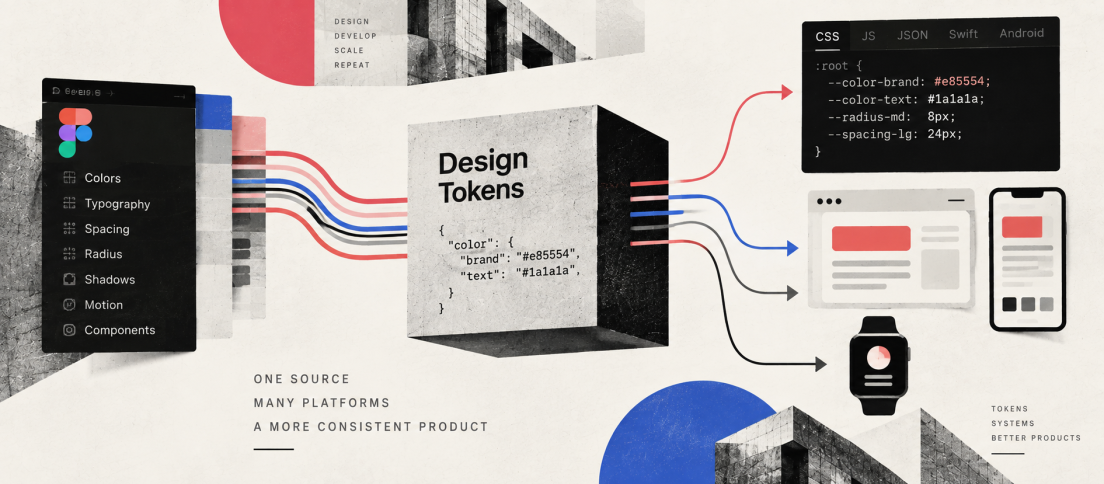
That philosophy connects closely with our broader argument that design tokens are becoming the API of design. The more design systems express intent in structures that code can understand, the less valuable a design tool becomes when it treats implementation as an afterthought.
The Layout Model Is Now a Strength
One of the biggest weaknesses in our earlier assessment was responsive layout. That criticism no longer stands.
Penpot now supports CSS Flex Layout and CSS Grid Layout directly. These are not decorative labels for proprietary auto-layout behaviours. The concepts map onto the same layout systems developers use on the web, which makes responsive intent unusually legible across disciplines.
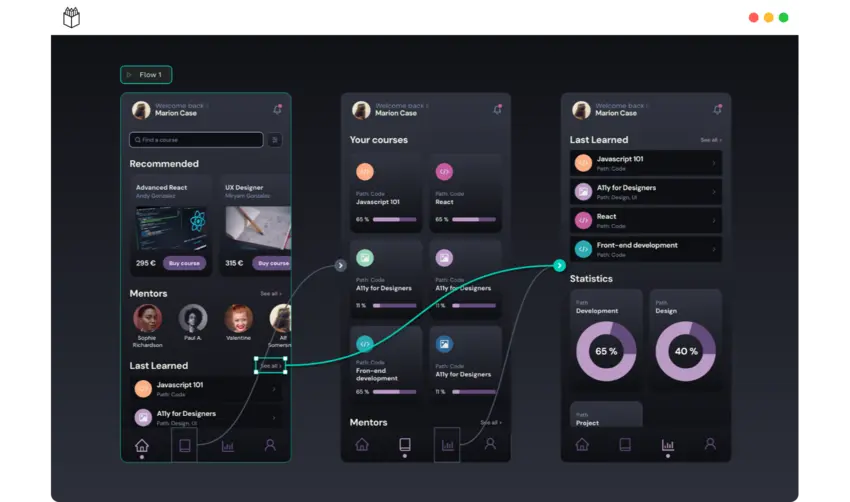
This does not automatically make Penpot easier than Figma. Designers already fluent in Figma’s Auto Layout have years of muscle memory invested in that model. Penpot’s closer relationship to CSS can initially feel more technical. But for teams where designers and frontend engineers regularly negotiate responsive behaviour, the shared vocabulary is a genuine advantage rather than an open-source talking point.
Penpot becomes most interesting when its web-native constraints stop feeling like implementation detail and start becoming design-system infrastructure.
Design Systems Have Caught Up
The component story has also changed significantly. Current Penpot includes components, variants, libraries and design tokens rather than the much more primitive system our older review described. During 2026, the team continued expanding token workflows, including token groups, remapping references and exposing tokens through the plugin API.
That matters because serious design-system work is less about drawing reusable rectangles than maintaining relationships. A color token should survive a rename. A component should express variants without multiplying disconnected copies. A developer should be able to inspect the same system without manually reverse-engineering designer intent.
Penpot still does not have Figma’s ecosystem gravity. Large organisations may have years of libraries, plugins, training, templates and cross-functional habits built around Figma. But the core argument can no longer be that Penpot lacks the primitives required for serious system work.
That distinction also echoes our UI kit vs design system argument: the value of the system sits in rules and relationships, not merely reusable assets.
Developer Handoff Is Still the Differentiator
Penpot’s developer story remains one of the clearest reasons to evaluate it.
The Inspect workspace exposes CSS-oriented information, measurements and assets without requiring the design to be translated into a completely different conceptual model. Because the underlying layout system already speaks in familiar web concepts, handoff becomes less about converting a designer-only abstraction into implementation instructions.
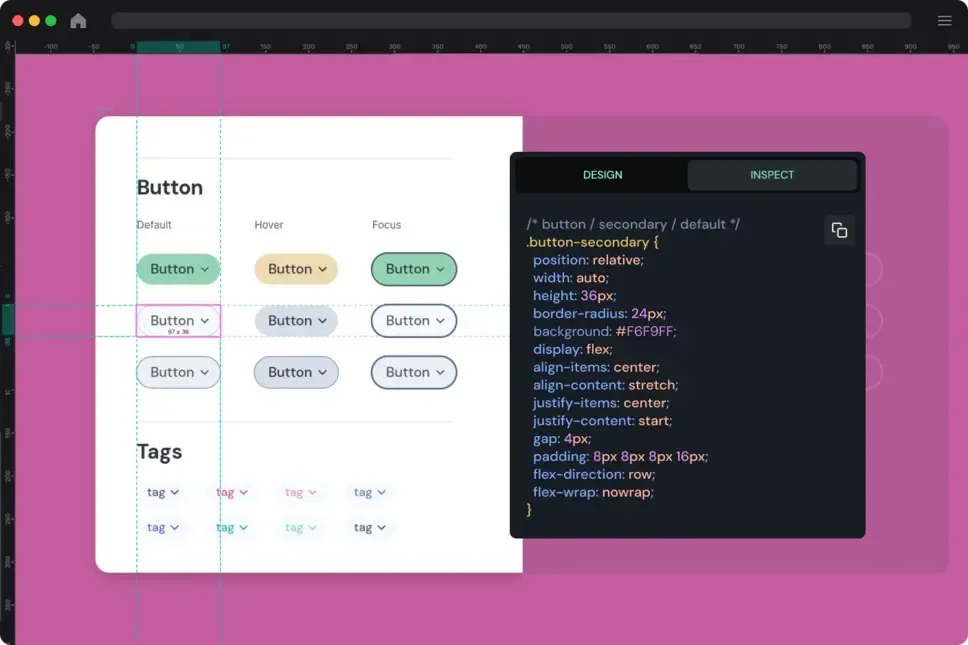
This does not solve design-to-code by itself. A CSS declaration visible in a design tool is not production architecture, and real products still contain business logic, data states, accessibility requirements and implementation decisions that no visual canvas can own. But Penpot narrows the semantic gap in a useful way.
Performance Is Improving, Not Solved
Performance was one of the most frustrating parts of our earlier Penpot experience. Simple files were fine, but heavier projects could become sluggish enough to interrupt the design flow.
The company is clearly treating this as a first-class problem. Penpot’s 2026 releases have repeatedly expanded a new WebGL rendering engine, with the July 2.17 release specifically describing improvements for heavy files and prototype rendering. The September 2.18 release continued the broader platform expansion while introducing Penpot Enterprise.
That progress makes the old blanket statement that Penpot simply performs poorly too crude. The more accurate position is that performance remains an area to test with your actual production files rather than something to infer from a small demo. Teams with enormous design systems should migrate a representative project before committing.
Open Source Still Matters
Penpot’s open-source model is not valuable because proprietary software is automatically bad. It is valuable because it gives organisations options proprietary tools cannot easily provide.
Teams can self-host the platform, retain control over infrastructure and continue using the open-source core without depending entirely on a vendor’s cloud roadmap. That is especially relevant for organisations with unusual security, procurement or data-governance requirements.
But open source should not be used as an excuse to romanticise the product. Community governance does not remove bugs. Self-hosting creates operational responsibility. And a smaller ecosystem can matter enormously when a team depends on specialised plugins or established workflows.
The best reason to choose Penpot is therefore not that it represents moral purity. It is that its licensing and architecture give teams a different set of trade-offs.
Penpot Is Free, but Not Only Free
Another outdated part of our earlier review was the idea that Penpot’s pricing story could be summarised as “everything is free forever.” The open-source core remains free, and Penpot’s hosted Professional plan is currently $0 per user for teams within its included limits. Self-hosting the Professional edition is also free.
But Penpot launched an Enterprise layer in September 2026 for organisations that need central administration, advanced permissions, identity governance, audit capabilities and longer recovery windows. Penpot’s current pricing page therefore looks more like a sustainable open-core model than an anti-commercial protest.
That is healthy. Teams should judge the product on whether the free tier genuinely supports their work and whether enterprise governance is worth paying for, not on a simplistic free-versus-paid ideology.
Migration Is Still the Hard Part
The biggest obstacle to adopting Penpot may have little to do with Penpot itself.
Design teams do not switch tools as individuals. They switch libraries, naming conventions, components, prototype conventions, plugins, documentation, permissions and organisational habits. Even when file import works, the difficult part is deciding which system should be rebuilt natively rather than mechanically translated.
For new products and smaller teams, that migration cost can be modest. For an organisation with years of Figma infrastructure, a free licence does not make the transition free.
And No, Adobe Did Not Buy Figma
One factual correction from the previous version of this review is important enough to state explicitly. Adobe announced an agreement to acquire Figma in 2022, but the companies mutually terminated the proposed merger in December 2023 after concluding there was no clear path to regulatory approval. Figma remained independent.
That history still matters because it intensified designers’ interest in alternatives and ownership models. But it should not be used to frame the current comparison as if Adobe controls Figma. It does not.
DesignWhine’s Verdict
Penpot has moved beyond the stage where its strongest argument is simply that it exists. The layout model is more mature, design-system infrastructure is substantially stronger, developer handoff remains distinctive and the open-source foundation gives organisations meaningful deployment choices.
Figma still has the advantage in ecosystem depth, polish, familiarity and the accumulated network effects of being the default product-design environment for many teams. Those advantages are real and expensive to reproduce.
But teams evaluating Penpot in 2026 should do so as a credible design platform, not as a political statement or a budget workaround. For organisations that value web-native layouts, open infrastructure and tighter design-development semantics, Penpot is now strong enough to deserve a serious production trial.
Penpot is no longer interesting because it is the open-source alternative. It is interesting because the alternative has become a real product.