

Apple kicked off its Worldwide Developers Conference 2025 on June 9th with a keynote packed with software updates across its entire ecosystem. From a controversial design overhaul to incremental AI improvements, here’s our comprehensive breakdown of everything announced on Day 1 of the Apple WWDC 2025 live coverage.
Day 5 Updates – June 13, 2025 (Finale)
As WWDC 2025 concluded, Apple reaffirmed its traditional timeline for software releases, with iOS 26, macOS Tahoe, and other platform updates expected to reach consumers in the fall. The final day’s sessions provided developers with clear guidance on testing beta versions and preparing their applications for the new operating systems.
The development community will have the summer months to implement the new features and design principles introduced this week. Apple’s emphasis on providing comprehensive documentation and support resources during the final day demonstrated the company’s commitment to ensuring a smooth transition for both developers and users.
Industry Implications and Competitive Landscape
WWDC 2025’s conclusion comes at a critical time for Apple, as the company faces increased scrutiny over its AI capabilities and ongoing legal challenges related to App Store policies. The conference’s mixed reception – excitement over design innovations tempered by concerns about AI competitiveness – reflects the complex challenges facing the company.
The developer community’s response to the week’s announcements will be crucial in determining whether Apple can maintain its platform advantage. Early feedback suggests enthusiasm for the Liquid Glass design language and improved development tools, though some developers expressed frustration with the pace of AI feature rollout.
Community and Collaboration
One of the most valuable aspects of WWDC’s final day was the opportunity for developers to connect with Apple engineers and fellow developers through various networking sessions and collaborative workshops. Despite the hybrid online/in-person format, Apple successfully maintained the sense of community that has made WWDC a cornerstone event for the developer ecosystem.
The conference’s conclusion marked the beginning of a new development cycle, with thousands of developers returning to their projects armed with new knowledge, tools, and inspiration. The true measure of WWDC 2025’s success will be visible in the innovative applications and experiences that emerge over the coming months.
A Foundation for the Future
As the curtain fell on WWDC 2025, Apple had successfully laid the groundwork for a significant evolution in its platform ecosystem. While questions remain about the company’s AI strategy and competitive positioning, the comprehensive nature of the week’s technical sessions demonstrated Apple’s commitment to empowering developers with cutting-edge tools and capabilities.
The introduction of Liquid Glass design, enhanced Apple Intelligence features, and improved development tools creates a compelling foundation for the next generation of Apple experiences. The success of these initiatives will ultimately depend on how effectively developers can implement these new capabilities and how enthusiastically users embrace the resulting applications and services.
Day 5 of WWDC 2025 may have been the conference’s conclusion, but in many ways, it marked the beginning of a new chapter in Apple’s ongoing evolution as a platform company focused on creativity, innovation, and developer empowerment.
Day 3 & 4 Updates – June 11-12, 2025
The Developer Lab Experience
Unlike the spectacle of Monday’s keynote, Wednesday and Thursday represented WWDC’s true purpose: education and technical enablement. With over 100 technical sessions, WWDC25 offers developers a chance to dive deep into the latest technologies and frameworks with Apple experts. The sessions were strategically distributed across Apple’s developer platforms, ensuring comprehensive coverage of the new features announced just days earlier.
The format remained consistent with Apple’s recent approach, with online sessions and labs so that developers worldwide can learn about the new software features and how to incorporate those features into their apps. This accessibility proved crucial for the global developer community, particularly as many were eager to understand the practical implications of the new Liquid Glass design system.
Technical Deep Dives: Beyond the Surface
The middle days of WWDC traditionally focus on the “how” rather than the “what.” While the keynote showcased the visual transformation coming to Apple’s platforms, days 3 and 4 were all about implementation. Developers attending the technical sessions gained access to detailed documentation, sample code, and direct guidance from Apple engineers on integrating the new design language into their applications.
The sessions covered the fundamental building blocks of the new design system, breaking down the translucent effects and dynamic visual elements that define the Liquid Glass aesthetic. For developers, this meant understanding not just how to make their apps look modern, but how to do so efficiently while maintaining performance across Apple’s diverse hardware ecosystem.
Apple Intelligence Integration Challenges
One of the most significant technical discussions during these sessions centered around Apple Intelligence integration. Apple today announced new Apple Intelligence features that elevate the user experience across iPhone, iPad, Mac, Apple Watch, and Apple Vision Pro. However, the developer sessions revealed the complexity behind implementing these AI-powered features effectively.
The technical sessions provided crucial insights into the APIs and frameworks necessary for developers to incorporate Apple Intelligence features into their applications. This represented a significant shift for many developers who were navigating AI integration for the first time, requiring them to rethink fundamental aspects of app architecture and user experience design.
The ChatGPT Integration Reality
While the keynote had announced ChatGPT integration as part of Apple’s AI strategy, the developer sessions provided a more nuanced view of this partnership. The technical discussions revealed the specific use cases where ChatGPT would be accessible to developers and the limitations of this integration. For many developers, this clarity was essential for planning their AI-powered features and understanding the boundaries of what’s possible within Apple’s ecosystem.
The sessions also addressed the ongoing competitive pressure Apple faces in the AI space, with developers receiving guidance on how to leverage Apple Intelligence effectively while understanding its current limitations compared to competitors like Google and Samsung.
Performance and Optimization Focus
A significant portion of the technical sessions focused on performance optimization for the new operating systems. The Liquid Glass design system, while visually striking, requires careful implementation to maintain the smooth performance Apple users expect. Developers learned about new Metal enhancements, Core Animation improvements, and energy efficiency considerations crucial for battery life.
These sessions proved particularly valuable for developers working on resource-intensive applications, as they provided concrete guidance on maintaining performance while embracing the new visual paradigms. The technical teams shared specific benchmarks and optimization techniques that would become essential for app store approval in the iOS 26 era.
Developer Community Reaction
The tone during these technical days was notably different from the keynote’s enthusiasm. In 2025, Apple slapped a new coat of paint on its operating systems at WWDC and called it good – a sentiment that resonated with some developers who were hoping for more revolutionary changes rather than evolutionary improvements.
However, the detailed technical sessions helped clarify the substantial work required to implement even these “cosmetic” changes effectively. Many developers came to appreciate the engineering complexity behind the Liquid Glass design system and the careful consideration Apple had put into maintaining backward compatibility while pushing the visual language forward.
Platform-Specific Innovations
The sessions broke down platform-specific implementations of the new features, with dedicated tracks for iOS, macOS, watchOS, and visionOS development. Each platform received tailored guidance on implementing the Liquid Glass design principles while respecting the unique interaction patterns and constraints of different devices.
Particularly interesting were the visionOS sessions, which demonstrated how the new design language translates to spatial computing environments. Developers working on Vision Pro applications received specialized guidance on creating interfaces that feel native to the mixed-reality platform while maintaining consistency with the broader Apple ecosystem.
Looking Ahead: Preparation for Launch
By the end of day 4, developers had a clear roadmap for the months ahead. The technical sessions provided not just implementation guidance but also timelines for beta releases, testing phases, and the eventual public launch of the new operating systems. This practical information proved invaluable for development teams planning their release schedules and resource allocation.
The sessions also addressed migration strategies for existing applications, helping developers understand which changes would be automatic with the new OS versions and which would require active development work. This guidance proved crucial for maintaining app functionality during the transition period.
The Technical Foundation
While the keynote captured headlines with its visual innovations, days 3 and 4 of WWDC 2025 provided the technical foundation that will define the next generation of Apple software development. The comprehensive session coverage ensured that developers left with practical knowledge rather than just inspiration, setting the stage for the ecosystem-wide transformation that Apple envisions with its new design language.
As WWDC 2025 moved toward its final day, the developer community had gained not just an understanding of Apple’s vision for the future, but the technical tools and knowledge necessary to bring that vision to life across millions of devices worldwide. The true measure of these middle days’ success would become apparent in the months ahead, as developers begin shipping applications that fully embrace the Liquid Glass era of Apple software design.
Day 2 Updates – June 10, 2025
The Liquid Glass Revolution Takes Center Stage
The second day of WWDC 2025 was dominated by sessions exploring Apple’s new “Liquid Glass” design language, which represents a fundamental shift in how users interact with Apple devices. Unlike yesterday’s high-level overview, today’s developer sessions provided the nuts and bolts of implementing this translucent, fluid interface across multiple platforms.
Apple’s design team led multiple sessions breaking down the visual principles behind Liquid Glass, which extends far beyond simple transparency effects. The new design philosophy emphasizes depth, movement, and contextual adaptation – elements that require developers to rethink their approach to app design fundamentally.
iOS 26: More Than Just a Number Jump
While yesterday’s announcement of iOS 26 (skipping from iOS 18) surprised many, today’s technical sessions revealed the reasoning behind this dramatic version leap. Apple engineers explained that the underlying architecture changes were so significant that maintaining the traditional numbering sequence would have been misleading to developers.
The new operating system introduces several developer-focused improvements that weren’t highlighted in Monday’s consumer-focused presentation. Enhanced memory management, redesigned frameworks, and improved inter-app communication protocols dominated the technical discussions.
Apple Intelligence Gets Developer Tools
One of the most anticipated aspects of Day 2 was the deep dive into Apple Intelligence development tools. Apple revealed new APIs that allow third-party developers to integrate more seamlessly with the enhanced AI capabilities across iPhone, iPad, Mac, Apple Watch, and Apple Vision Pro.
The new AI-powered Shortcuts app, briefly mentioned in Monday’s keynote, received extensive coverage in developer sessions. The tool now leverages machine learning to predict user behavior and automate complex workflows without requiring extensive programming knowledge.
CarPlay’s Widget Revolution
Apple’s automotive platform received significant attention on Day 2, with dedicated sessions exploring the new widget system and Live Activities integration. These features, announced Monday, promise to transform how drivers interact with their vehicles’ infotainment systems.
Developers learned about the technical requirements for creating CarPlay widgets that can display real-time information while maintaining Apple’s strict safety and distraction guidelines. The sessions emphasized the balance between functionality and driver safety, with Apple introducing new testing frameworks specifically for automotive applications.
Platform Unification Efforts
A recurring theme throughout Day 2 was Apple’s continued push toward platform unification. Sessions demonstrated how the new Liquid Glass design language creates visual consistency across iOS 26, iPadOS 26, macOS Tahoe 26, and other Apple platforms.
The unified approach extends beyond visual design to include shared frameworks and development tools. Apple introduced new cross-platform APIs that allow developers to create applications that adapt seamlessly across different device types while maintaining each platform’s unique characteristics.
Developer Lab Insights
The hands-on developer labs provided perhaps the most valuable insights of Day 2. Apple engineers worked directly with developers to solve implementation challenges and provide guidance on migrating existing applications to the new platforms.
Early feedback from these sessions suggests that while the visual changes are dramatic, Apple has invested heavily in migration tools and backward compatibility. Many developers reported that updating their applications to support the new design language was more straightforward than initially expected.
New App Categories Emerge
Day 2 sessions also explored the implications of Apple’s new preinstalled Games and Preview apps. These additions to the default iOS experience create new opportunities for developers while also raising questions about competition and app discovery.
Apple addressed these concerns directly in afternoon sessions, outlining policies and guidelines for developers creating applications that might compete with the new default apps. The company emphasized that these additions are designed to enhance user experience rather than limit developer opportunities.
Technical Architecture Deep Dives
The more technical sessions revealed significant improvements to Apple’s underlying frameworks. The new memory management system in iOS 26 promises better performance and battery life, while enhanced security features provide additional protection for user data.
Developers also learned about improvements to Apple’s development tools, including updates to Xcode that better support the new design language and cross-platform development approaches.
WWDC 2025 continues through June 13, with Day 3 focusing on advanced development topics and platform-specific deep dives.
Day 1 Updates – June 9, 2025
iOS 26: The New Naming Convention and Core Updates
Apple has shifted to a year-based naming system, with iOS 26, iPadOS 26, macOS 26, watchOS 26, tvOS 26, and visionOS 26 replacing the traditional sequential numbering. This change appears designed to create clearer alignment between Apple’s software releases and calendar years.
iOS 26 introduces several key features beyond the visual redesign. The update will play a major role in automotive integration with updated CarPlay and CarPlay Ultra functionality. The enhanced CarPlay experience now supports widgets and Live Activities, bringing iPhone-like interactivity to the dashboard.
However, the most significant change remains the new design language that Apple calls “Liquid Glass,” which fundamentally alters how users interact with their devices across all platforms.
macOS 26 “Tahoe”: California Dreaming Continues
The latest macOS gets its new California theme with macOS 26 “Tahoe,” continuing Apple’s tradition of naming Mac operating systems after California landmarks. The update brings the Liquid Glass design elements to desktop computing, though early reactions from Mac users suggest concern about the translation of mobile-first design principles to traditional desktop workflows.
The integration between iOS 26 and macOS 26 has been strengthened with new Continuity features, though the practical benefits of these improvements remain to be tested in real-world usage scenarios.
iPadOS 26: Productivity Push or Missed Opportunity?
iPadOS 26 features a new Liquid Glass design, a menu bar, improved app windowing, and more. The addition of a menu bar represents Apple’s most significant attempt yet to position the iPad as a laptop replacement, though questions remain about whether this addresses the fundamental productivity limitations that have long plagued iPadOS.
The improved app windowing could finally deliver the multi-tasking experience iPad users have been requesting, but Apple’s track record with iPadOS productivity features suggests cautious optimism is warranted.
watchOS 26 and tvOS 26: Ecosystem Alignment
The latest generation of watchOS will now be appended with the upcoming year, instead of a sequential numbering system. watchOS 26 brings design consistency with the broader Apple ecosystem, though the practical implications for the small screen format remain unclear.
tvOS 26 also receives the design treatment, though Apple TV users may question whether visual overhauls address the platform’s core content and functionality needs.
Gaming Focus: New Dedicated App
Apple’s dedicated gaming app represents a notable push into gaming territory, suggesting the company recognizes gaming as a critical battleground for platform engagement. However, Apple’s gaming initiatives have historically struggled against dedicated gaming platforms, and it remains to be seen whether software improvements can overcome hardware and ecosystem limitations.
Apple Intelligence: Still Playing Catch-Up
Apple, a year after debuting its AI platform, will do little at WWDC to show it’s catching up to leaders like OpenAI and Google. The Apple Intelligence updates announced at WWDC 2025 feel more like incremental improvements than the revolutionary AI integration users might expect from a company of Apple’s resources.
Live Translation hopes to remove language barriers for good, allowing you to easily communicate via FaceTime, phone calls, and messages in different languages. While useful, these features lag significantly behind what competitors like Google have offered for years.
Visual Intelligence receives screen-sharing functionality, but the overall AI strategy lacks the ambition and integration depth that has made competitors’ AI implementations more compelling.
CarPlay Ultra: Automotive Ambitions
Apple announced new Continuity features that integrate the iPhone with your Mac and significant automotive updates. CarPlay Ultra represents Apple’s most aggressive push into automotive integration, though adoption will depend heavily on automotive manufacturer cooperation.
The regular CarPlay also receives substantial updates, with widget support and enhanced functionality that could make it more competitive with Android Auto and native automotive systems.
The Liquid Glass Controversy: A UX Design Perspective
For UX professionals, Apple’s embrace of the “Liquid Glass” design language raises serious concerns about usability over aesthetics. The fundamental principle of interface design – that form should follow function – appears to have been inverted in favor of visual drama.

Accessibility and Contrast Concerns
Translucent interfaces inherently compromise text readability. When background elements show through interface components, cognitive load increases as users must work harder to distinguish between active and inactive elements. This is particularly problematic for users with visual impairments or those using devices in bright environments.
Cross-Platform Design Consistency vs. Platform Appropriateness
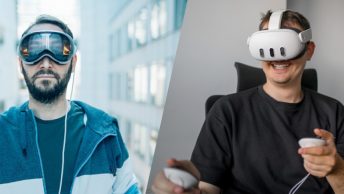
The clear influence of Vision Pro design language on Apple’s mainstream products raises strategic questions. While visual consistency across the ecosystem has merit, forcing design decisions that work well in VR/AR contexts onto traditional computing interfaces may create usability compromises.
Mac users, in particular, may find the iOS-influenced design changes disruptive to established workflows. The company’s one-size-fits-all approach to interface design ignores the fundamental differences in how users interact with phones, tablets, and computers.
Performance and Battery Implications
The computational overhead required for translucent effects and reflective surfaces could impact battery life, particularly on older devices. Apple’s presentation notably avoided discussing performance impacts, a concerning omission given the company’s usual attention to device longevity.
Designer Community Reactions: Polarized Opinions
The design community’s response to Liquid Glass has been notably polarized across LinkedIn and Reddit discussions. While some designers praise the visual consistency and “premium feel” across Apple’s ecosystem, many UX professionals express concerns about accessibility and usability regression. LinkedIn posts from prominent designers highlight worries about contrast ratios and readability, particularly for users with visual impairments. Reddit’s design communities are debating whether Apple is prioritizing visual spectacle over functional design principles, with many comparing the move to the controversial iOS 7 redesign that initially faced significant backlash before eventual acceptance.
Developer Reception: Mixed Signals
Early developer feedback suggests a complex reception to the Day 1 announcements. While some appreciate the visual cohesion across Apple’s ecosystem, practical concerns about implementation complexity and performance optimization dominate developer discussions.
The shift to year-based naming may simplify version management, but it doesn’t address the underlying challenges developers face with Apple’s increasingly complex ecosystem requirements.
What’s Still Coming
With WWDC 2025 running through June 13, significant announcements likely remain. Developer sessions will provide deeper technical details about implementation requirements and performance considerations that Apple’s keynote presentation glossed over.