
In the crowded landscape of project management tools, Focalboard positions itself as a compelling open-source alternative to industry giants like Trello, Asana, and Notion. Born from the team behind Mattermost, this self-hosted solution promises to give teams complete control over their project management workflow while maintaining the familiar interface patterns users expect.
But does it deliver on these promises, or does it fall short of the polished experience offered by its commercial counterparts?
After hands-on testing, this comprehensive review examines whether Focalboard truly stands as a viable self-hosted alternative for teams seeking project management freedom.
DesignWhine's Verdict
Overall
-
Functionality
-
Ease of Use
-
Mobile Experience
-
Value Proposition
Summary
Focalboard represents an ambitious attempt to create a truly open-source alternative to established project management tools. While it succeeds in delivering core functionality and impressive customization options, it falls short of providing the polished, comprehensive experience that teams have come to expect from modern project management platforms.
Pros
Complete data ownership and control
No licensing fees or subscription costs
Real-time collaboration features
Self-hosted security benefits
Cons
Maintenance concerns with standalone version
Steep learning curve and poor documentation
Limited team management features in desktop edition
No dedicated mobile applications
Requires technical expertise for setup and maintenance
Smaller community and ecosystem compared to commercial alternatives
What is Focalboard?
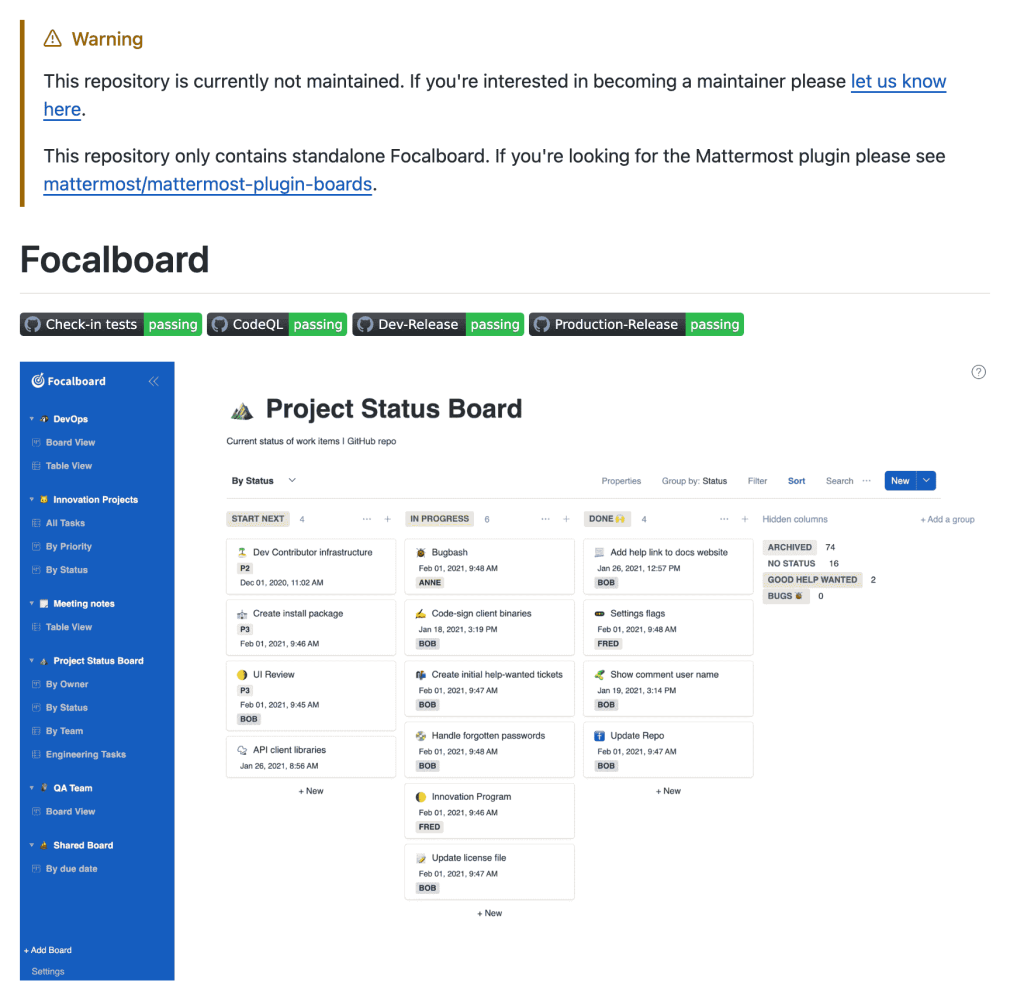
Focalboard is an open-source, multilingual project management tool that aims to replicate the core functionality of popular platforms like Trello, Notion, and Asana. Developed by Mattermost, it comes in two primary editions: a Personal Desktop version for individual users and a Personal Server edition for teams requiring collaborative features.
The platform emphasizes self-hosting capabilities, giving organizations complete control over their data while providing the familiar kanban board interface that has become synonymous with modern project management. Unlike many open-source alternatives that feel clunky or incomplete, Focalboard attempts to bridge the gap between functionality and user experience.
Key Features That Stand Out
Multiple View Options
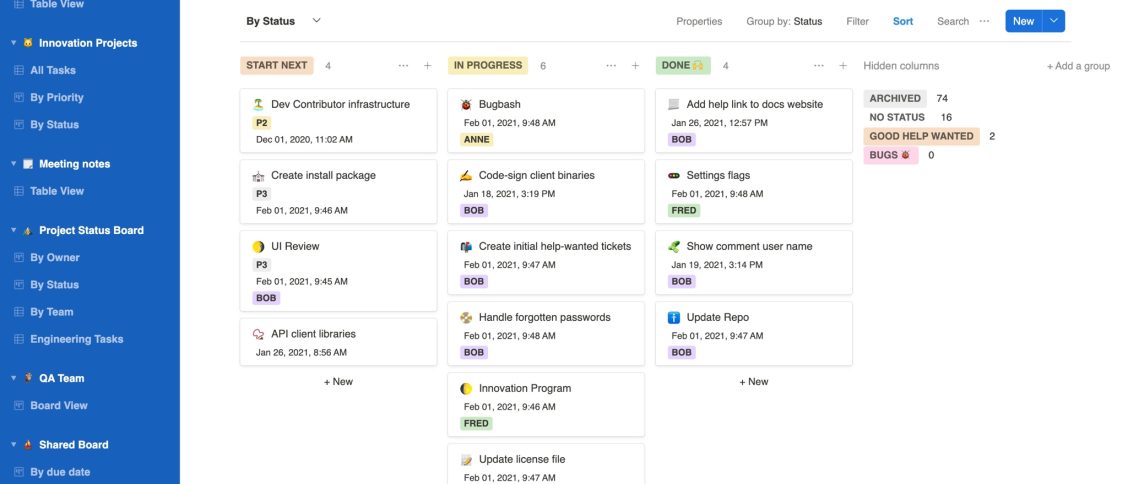
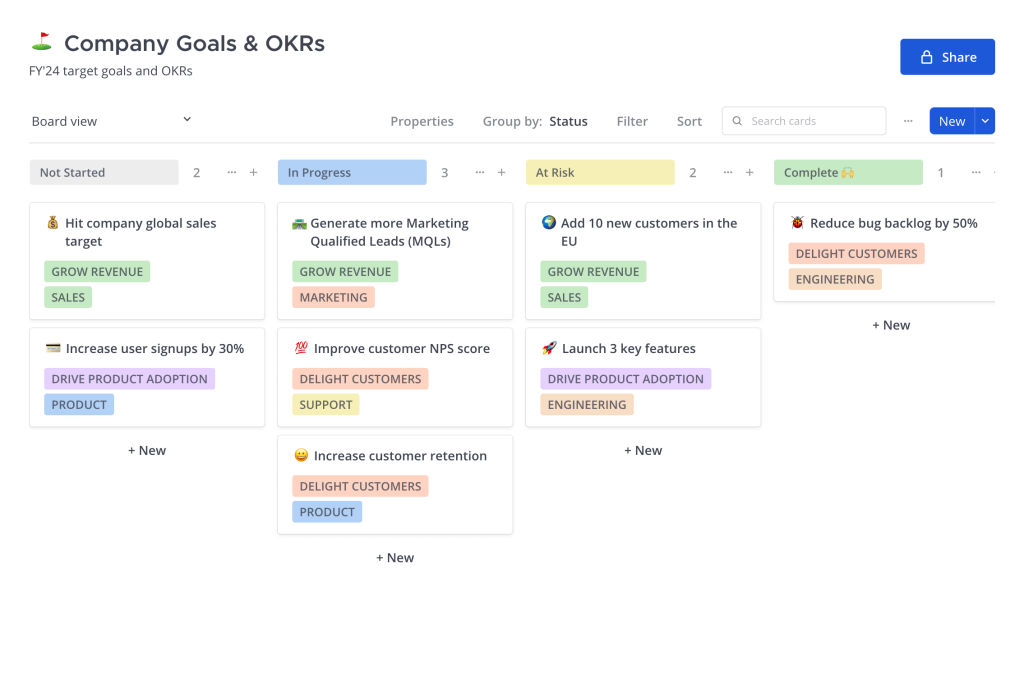
One of Focalboard’s strongest selling points is its flexibility in data visualization. The platform offers four distinct view types: Kanban boards, table views, gallery displays, and calendar layouts. This versatility allows teams to switch between different organizational methods depending on their workflow needs, whether they prefer the visual appeal of kanban boards or the structured approach of spreadsheet-style tables.
Real-Time Collaboration
Despite being a relatively young project, Focalboard includes solid collaboration features. Team members can leave comments on cards, use @mentions to notify specific users, and see updates in real-time. The collaboration feels responsive and intuitive, though it lacks some of the advanced features found in enterprise solutions.
Customizable Properties and Filters
The platform allows extensive customization of card properties, enabling teams to track exactly the information they need. Users can create custom fields, set up unlimited filtered views, and organize boards according to their specific requirements. This level of customization rivals what’s available in premium tools.
Template System
Focalboard includes pre-built templates for common project types, helping teams get started quickly. While the template library isn’t as extensive as what you’d find in Notion or Asana, it covers the basics and provides a solid foundation for most use cases.
Where Focalboard Falls Short
Documentation and Learning Curve
One of the major about Focalboard is its confusing interface and lack of comprehensive documentation. It is a struggle to navigate the platform effectively, and the learning resources don’t provide the depth needed for complex implementations. This is a significant barrier to adoption, particularly for teams transitioning from more polished alternatives.
Limited Team Management Features
The desktop edition of Focalboard lacks crucial project management features, particularly around team member management and role-based permissions. For personal use, this isn’t problematic, but teams expecting enterprise-level user management will find the current offering insufficient.
Maintenance Concerns
A significant red flag emerged during our hands-on trial: the main GitHub repository now displays a warning that it’s “currently not maintained.” While the Mattermost plugin version continues development, the standalone version appears to be in limbo, raising questions about long-term viability and support.
Mobile Experience
Unlike its commercial competitors, Focalboard doesn’t offer dedicated mobile applications. While the web interface works on mobile devices, the experience feels cramped and unintuitive compared to native mobile apps from Trello or Asana.
Installation and Setup Experience
Focalboard offers multiple installation options, from simple desktop applications to Docker containers and full server deployments. The variety is impressive, but the installation process can be daunting for non-technical users. The Docker installation provides the smoothest experience for those comfortable with containerization, while the desktop apps offer the easiest entry point for individual users.
Setting up the server version requires technical knowledge that many small teams may not possess, creating a barrier that commercial alternatives don’t have. This self-hosting requirement, while offering data control benefits, may limit adoption among teams seeking plug-and-play solutions.
Performance and Reliability
In terms of performance, Focalboard generally delivers smooth operation once properly configured. The interface responds quickly to user interactions, and board updates happen in real-time without noticeable lag. However, the lack of cloud infrastructure means performance depends entirely on your hosting setup, which can be both a blessing and a curse.
The absence of automated backups, updates, and maintenance that come with commercial solutions means teams must handle these responsibilities themselves. For organizations with strong technical capabilities, this represents freedom; for others, it’s an unwelcome burden.
Head-to-Head: Focalboard vs. The Big Three
Since Focalboard explicitly positions itself as an alternative to Trello, Asana, and Notion, it’s worth examining how it stacks up against each platform in practical terms.
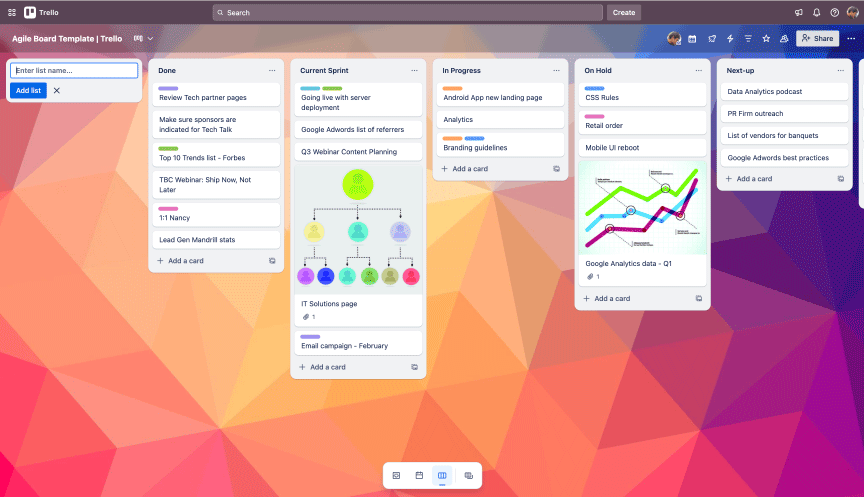
Focalboard vs. Trello Trello’s strength lies in its simplicity and intuitive kanban interface that anyone can master within minutes. Focalboard attempts to match this with its own kanban view, but the execution feels less polished. Where Focalboard wins is in customization – it offers multiple view types and custom properties that Trello lacks in its free tier. However, Trello’s Power-Ups ecosystem, mobile apps, and seamless collaboration features make it significantly more practical for most teams. Trello’s Butler automation also provides workflow automation that Focalboard currently lacks entirely.
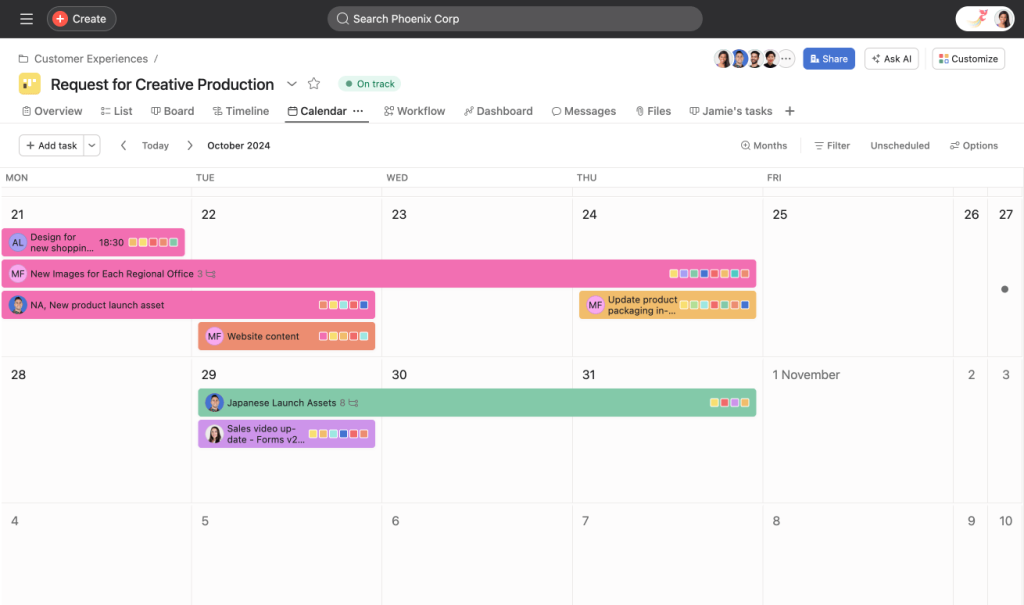
Focalboard vs. Asana Asana excels in project management sophistication with features like timeline views, advanced reporting, and robust team management capabilities. Focalboard’s project management features feel rudimentary by comparison – it lacks Asana’s dependency tracking, advanced filtering, and comprehensive project templates. While Focalboard offers basic task management and team collaboration, Asana’s maturity shows in its workflow automation, integration ecosystem, and enterprise-grade features. The only area where Focalboard clearly wins is data ownership, as Asana requires trusting your data to their cloud infrastructure.
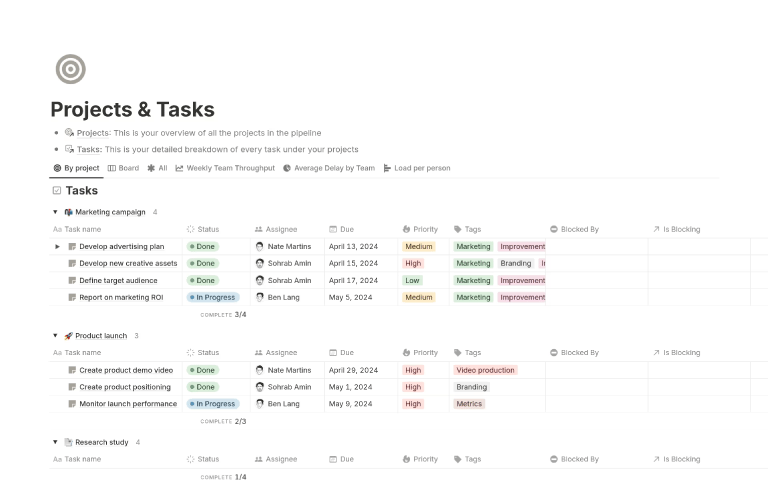
Focalboard vs. Notion This comparison reveals Focalboard’s most significant limitations. Notion functions as an all-in-one workspace combining databases, wikis, documents, and project management. Focalboard focuses solely on project management, which could be seen as either a strength or weakness depending on your needs. Notion’s database capabilities are far more sophisticated, offering complex relations, formulas, and data manipulation that Focalboard simply cannot match. However, Notion’s complexity can be overwhelming, whereas Focalboard maintains a cleaner focus on core project management tasks. Notion’s collaboration features, real-time editing, and extensive template library also outshine Focalboard’s offerings.
Broader Comparison with Established Alternatives
When viewed collectively, Focalboard occupies an interesting middle ground among these established players. It offers more customization than basic Trello, more data control than cloud-based Asana, and more focused project management than the sprawling Notion workspace. However, it lacks the polish, extensive integrations, and comprehensive feature sets that make these platforms industry leaders.
The open-source nature means no licensing fees, which can result in significant cost savings for larger teams. However, the total cost of ownership includes hosting, maintenance, and the time investment required for setup and ongoing management.
Who Should Consider Focalboard?
Focalboard makes the most sense for specific use cases. Development teams already comfortable with self-hosting and technical maintenance will find it appealing, particularly those who value data sovereignty and customization over convenience. Organizations with strict data privacy requirements may find the self-hosted nature attractive.
However, teams seeking a polished, ready-to-use solution with comprehensive support and regular updates would likely be better served by commercial alternatives. The maintenance warning on the GitHub repository adds another layer of concern for teams considering long-term adoption.
Future Prospects and Development
The integration with Mattermost as a plugin suggests that Focalboard’s future lies within the broader Mattermost ecosystem rather than as a standalone product. This could be positive for teams already using Mattermost but concerning for those hoping for continued development of the standalone open source version.
The project’s early success and community interest indicate potential, but the lack of current maintenance raises questions about sustainability. Open-source projects require consistent contributor engagement to remain viable, and Focalboard’s current state suggests this may be lacking.