
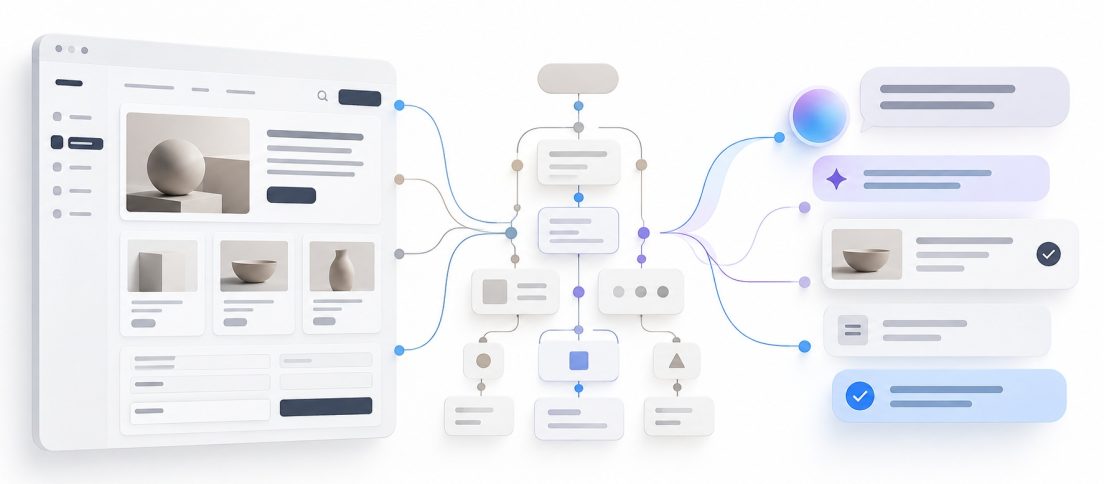
For decades, digital accessibility has been built around a straightforward premise: make the interface itself usable by more people. A button needs a meaningful name. A form field needs a label. Focus needs to move predictably. Images need useful alternatives. A person using a screen reader, keyboard or magnifier should be able to reach the same product without asking someone else to operate it for them.
AI agents introduce a strange new possibility. What if some users no longer need to operate the interface directly at all?
Instead of moving through navigation, forms and controls, a blind user could increasingly say what they want in natural language and let an agent navigate the product on their behalf. “Book the earliest appointment.” “Find the cheapest plan with the same coverage.” “Change my delivery address, but do not place the order.” The user interacts with intent. The agent deals with the interface.
That sounds like an accessibility breakthrough. It may be one. But it also creates a dangerous temptation for product teams: if AI can route around an inaccessible interface, why fix the interface?
AI could reduce the amount of interface a disabled user has to fight through. That is not the same thing as making the product accessible.
What AI Is Changing About Accessibility
Recent research suggests that conversational and agentic systems can genuinely reduce friction for blind and low-vision users. A 2026 study published in the International Journal of Human–Computer Interaction compared a conventional screen reader with an LLM-enhanced conversational browsing system across four tasks on a municipal website. Thirty blind and low-vision participants completed 96% of tasks with the conversational system, compared with 80% using the screen reader.
That is a substantial result, but it should not be stretched beyond what the study actually tested. This was a controlled environment, one website and four task types. The more interesting takeaway is not that conversational AI has “beaten” screen readers. It is that natural-language interaction can remove some of the navigation burden imposed by interfaces designed primarily for sighted users.
That direction is already visible in mainstream products. Our recent look at Android’s new accessibility tools showed Google moving toward interfaces that respond to a user’s body and surroundings rather than expecting everyone to adapt to the same static UI. Google has since formalised a broader idea it calls Natively Adaptive Interfaces: systems that can reconfigure themselves around a person’s needs instead of bolting accessibility on afterwards.

The Evidence Is Promising, Not Settled
The strongest reason not to declare the accessibility problem solved is that current agents still fail too often.
A September 2026 study of computer-use agents followed eight blind users for three weeks as they issued 1,258 commands across 12 desktop applications. The researchers’ accessible prototype, OLLA, let participants ask an agent to operate software for them while monitoring its actions nonvisually. Among the models tested, GPT-5 achieved the highest success rate at just 52.5%. The failures were not cosmetic. They included problems with grounding, planning, remembering constraints and knowing when a task was actually finished. The study is a useful reminder that delegation only feels liberating when the delegated work is reliable enough to trust.
Microsoft Research found a similar tension in a longitudinal study involving 16 blind and low-vision programmers using AI coding assistants. Participants reported efficiency gains and accessibility benefits, but also struggled to express intent, interpret AI output and maintain situational awareness across multiple views. The researchers emphasised the need to balance automation with user control rather than treating autonomy as an accessibility feature by default.
That distinction matters because accessibility is not simply about task completion. It is also about independence, comprehension and agency. A system that completes a task correctly while making it difficult to understand what happened can still leave the user dependent on software they cannot meaningfully inspect.
Accessibility is not achieved when the AI can use the product. It is achieved when the person remains able to understand, direct and recover from what the AI does.
AI Can Bypass the Interface, Not the Product
This is the core design shift. An agent may bypass a visual workflow, but it cannot bypass the product’s underlying structure. It still needs to identify actions, understand states, distinguish one control from another and know what changed after it acted.
That is why the accessibility work product teams have postponed for years may suddenly become more valuable, not less.
W3C guidance defines the accessibility tree as the programmatic structure through which assistive technologies understand interface elements. Accessible names tell a screen reader what a button, link or field actually means. Semantic roles expose what an element is. States communicate whether something is selected, expanded, disabled or checked. Those same semantics are increasingly useful to browser agents and computer-use systems trying to operate interfaces without relying purely on pixels.
Not every AI agent works the same way. Some reason over screenshots, some use DOM data, some use accessibility trees, and many combine multiple signals. But the principle is consistent: a product that exposes clear structure and meaningful states is easier for both assistive technology and machine agents to understand than one built from visually convincing but semantically empty layers of custom UI.
We explored the machine side of this problem in what computer-use agents mean for UX. Accessibility makes the argument more consequential. The same invisible structure that helps an agent find a control may determine whether a blind user can reach it at all.
| Interaction Layer | What the User Relies On | What Product Teams Must Design |
|---|---|---|
| Visual interface | Layout, text, controls and spatial hierarchy | Readable, understandable and operable screens |
| Assistive technology | Accessibility tree, focus order and semantics | Names, roles, states, labels and predictable navigation |
| AI agent | Intent, machine-readable structure and action feedback | Clear capabilities, constraints, state changes and recoverable actions |
| Adaptive interface | A system that changes modality or presentation | User control, preferences, transparency and continuity across modes |
The Risk Is Accessibility by Proxy
The worst outcome would be a web where inaccessible products remain inaccessible, but disabled users are expected to bring an AI intermediary with them.
That would turn accessibility from a property of the product into a service provided by a third party. If the agent misreads a form, loses context, becomes unavailable, requires a paid subscription or handles sensitive information badly, the user is back at the original barrier with an additional dependency layered on top.
It could also create a two-tier internet. Sighted users interact directly with the service while some disabled users interact through a probabilistic interpreter that may summarise, omit or mis-execute parts of the experience. In high-stakes domains such as banking, healthcare, employment or government services, that is not a trivial compromise.
This is why AI should be treated as an additional accessibility pathway, not an excuse to stop building accessible interfaces. A person should be able to choose direct interaction, assistive technology, conversational delegation or some combination of them. The system should not decide that one mode is “good enough” on their behalf.
Design for Intent, State and Recovery
For product teams, the interesting work now sits above individual WCAG checks. Those checks still matter, but agentic accessibility adds another layer: can the system express what the user is trying to accomplish, what the product allows, what state the task is in and how to recover when something goes wrong?
That means forms should not merely be keyboard accessible; their fields, validation rules and outcomes should be semantically legible. Actions should not merely have visible labels; they should expose clear purpose and consequence. Progress should not be communicated only through animation. Errors should identify what failed and what can be done next. Destructive actions should be reversible where possible. Authentication and consent should remain understandable even when an agent is helping.
This is also where the work overlaps with building an AI-ready design system. Semantic components, explicit states and structured relationships are useful because they separate the meaning of an interface from one visual rendering of it. Accessibility has been asking design systems to do that for years.
An AI Accessibility Checklist
If an AI agent may act for your users, test more than whether the agent can click through the flow.
1. Can a screen reader user still complete the journey without the agent?
2. Are controls, fields and states exposed with meaningful semantics?
3. Can the agent explain what it intends to do before consequential actions?
4. Does the user receive clear confirmation of what changed?
5. Can the user interrupt, correct or reverse the agent’s action?
6. Does the experience preserve privacy when sensitive context is sent to an AI system?
7. Have blind and low-vision users tested the workflow rather than relying on automated accessibility checks alone?
The Better Goal Is Adaptability
The most interesting future is not one in which AI makes interfaces irrelevant. It is one in which products become less attached to a single interface in the first place.
A user might read visually when that works, switch to a screen reader when it does not, ask a conversational system to explain a complex page, delegate a repetitive sequence to an agent, then return to direct control for a consequential decision. The product remains the same, but the interaction layer adapts to the person and the task.
That is a more ambitious accessibility goal than building a compliant visual interface and calling the job complete. It also avoids the opposite mistake of treating AI as a universal accessibility overlay. The interface still matters. Semantics still matter. Direct access still matters. The difference is that they become part of a broader interaction architecture rather than the only door into the product.
AI may eventually let many users bypass parts of the web that were never designed well for them. Product teams should not read that as permission to leave those parts broken. They should read it as evidence that accessibility is expanding from a checklist of interface accommodations into something larger: the ability for a product to express its meaning and capabilities through whatever interaction mode works best for the person using it.
The accessibility breakthrough is not an AI that can use an inaccessible product for you. It is a product that can meet you through more than one interface.


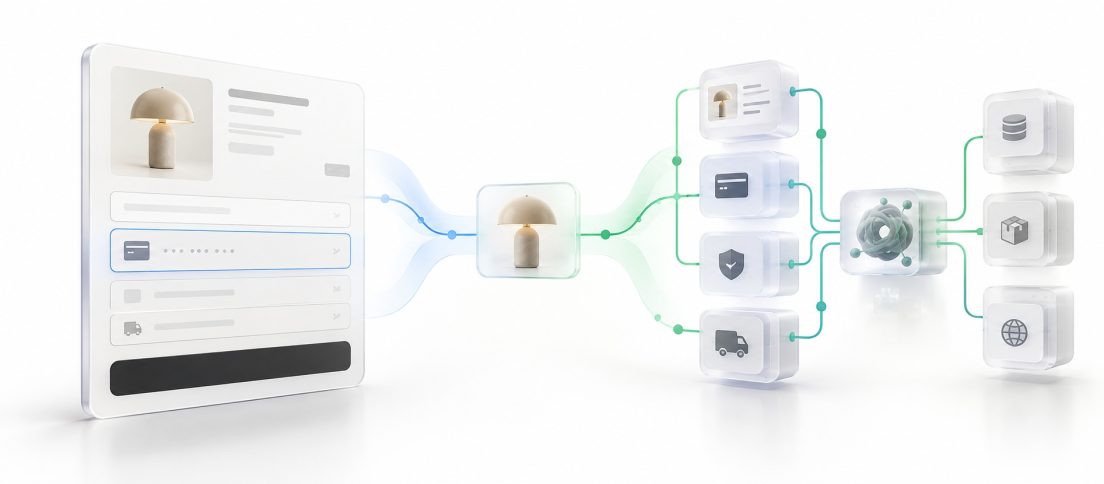

If an AI agent can successfully complete a task that a screen reader user cannot, has the product become more accessible, or have we simply moved the accessibility problem into another layer?