

For most of the last fifteen years, hardware design has treated physical controls as clutter waiting to be removed. Buttons became gestures. Dials became sliders. Menus disappeared into glass. The cleaner the object looked, the more advanced it seemed.
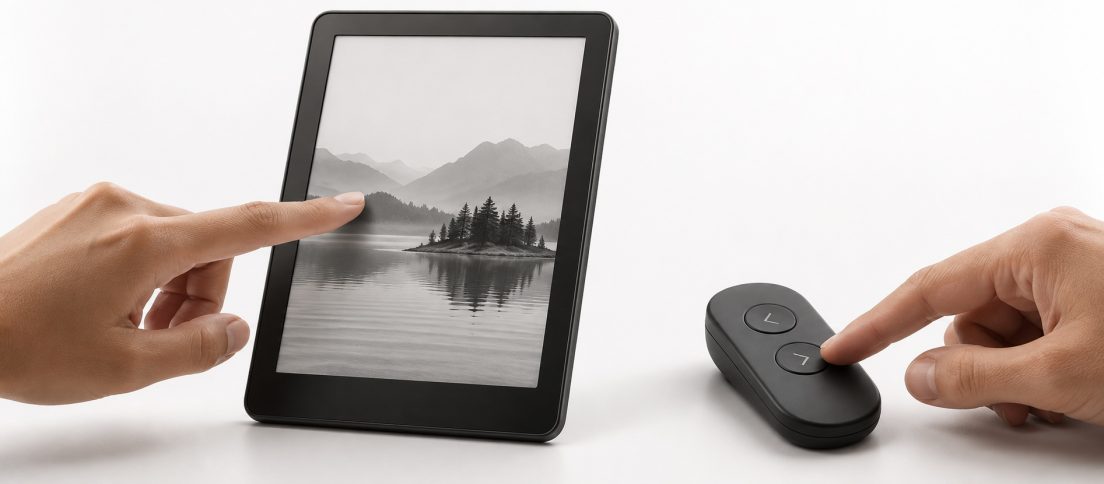
Amazon’s newest Kindle accessories complicate that story in a small but revealing way. The company has introduced a magnetic Page-Turn Cover with physical buttons for new Signature Edition Kindles, plus a Bluetooth accessory called Kindle Click that can turn pages and adjust brightness on compatible models. According to WIRED, Amazon says only around five percent of Kindle users were actively asking for page-turn buttons. Yet it built them anyway. The Verge notes that the Page-Turn Cover is an optional magnetic accessory rather than a permanent addition to the device itself.
That distinction matters. Amazon is not admitting that touchscreens were a mistake. It is acknowledging something more useful: a touchscreen is not always the best interface simply because it is the most general one.
The Cost of Interface Purity
Touchscreens are extraordinary because they can become almost anything. The same rectangle can host a keyboard, a page, a game controller, a map and a camera shutter. That flexibility is why they swallowed so many physical controls.
But flexibility can hide ergonomic costs. A touchscreen generally demands that you look at the surface, reach the right region, make contact in the right place and trust that software interpreted the gesture correctly. A physical button can often be found by feel. It gives resistance. It has an edge. It can be activated without shifting visual attention away from the content.
On a phone, those differences may feel minor because the device is usually already in your hand. An e-reader is different. Reading often happens in postures and situations where the device is propped up, held one-handed, resting at a distance or used while attention is split. In those moments, the supposed elegance of a touchscreen can become an ergonomic tax. A control that can be found and pressed without repositioning the device may be simpler in practice than the cleaner interface on paper.
Removing controls makes hardware cleaner. It does not automatically make using it easier.
The design lesson is broader than Kindle. Interface minimalism has often been judged from the object’s point of view. How many controls can we remove? How uninterrupted can the surface become? How little visual noise can the hardware carry?
But users do not experience products as product photographs. They experience them while standing on trains, lying in bed, carrying groceries, wearing gloves, dealing with tremors, splitting attention and using devices in imperfect physical conditions.
Buttons Are Context, Not Nostalgia
It would be easy to frame the return of Kindle buttons as retro nostalgia. That misses the more interesting design move. Amazon has not rebuilt the Kindle around buttons. It has separated the core device from the interaction mode.
If you prefer the spare touchscreen slab, nothing changes. If you want tactile page turning, you can add it. If you already own a recent Kindle, the Bluetooth Click offers a similar capability without replacing the device. The product becomes more adaptable without making every user carry the cost of someone else’s preference.
This is where the decision begins to resemble good responsive design more than retro industrial design. The interface does not merely scale. It accommodates a different mode of interaction when the context makes it useful.
DesignWhine recently looked at the rise of minimalist and “dumb” phones, where people are deliberately trading capability for focus. Kindle represents a related but almost opposite idea. It remains a highly capable digital product, but its success depends on making the technology recede once the reading begins.
That is also why the new controls fit the Kindle unusually well. In our earlier piece on invisible UX, the useful version of invisibility was never about removing interface for aesthetic reasons. It was about reducing the amount of attention the interface demands while preserving control. A page-turn button can be visually old-fashioned and experientially invisible at the same time.
Optionality Is the Better Minimalism
One reason hardware teams resist adding controls is that every control has a cost. It consumes space, complicates tooling, creates failure points and forces decisions about placement. More importantly, a permanent control can become unnecessary baggage for people who never use it.
The accessory approach is more interesting because it changes the problem from “which interface is correct?” to “which interface should be available?” That is a much healthier design question.
Accessibility offers a particularly strong reason to think this way. Designers often imagine accessibility as a set of accommodations layered onto a default experience. In practice, many of the best accessibility features are simply alternative ways to perform the same action. Voice input, keyboard control, larger targets, remotes and physical switches are not exotic exceptions. They are parallel routes through the product. DesignWhine has argued before that accessibility is a property of good design, not a compliance afterthought. Kindle’s optional controls are a small example of that principle expressed in hardware.
There is a useful warning here for software teams too. The modern product-design reflex is still to simplify by deletion. Remove the secondary button. Hide the advanced setting. Replace the explicit control with a gesture. Assume that people will learn the new interaction because the screen looks cleaner afterward.
Sometimes that is exactly right. Sometimes it simply transfers complexity from the interface to the user.
Mature Products Can Add Back Choice
The Kindle is nearly two decades old. That maturity matters because early products often have to choose one dominant interaction model. Mature products have enough evidence to know where that model fails.
Amazon can now see that most readers are perfectly happy tapping the screen, while a meaningful minority wants a different way to turn a page. The interesting design response is not to force buttons back onto everyone. It is to make the product porous enough that another interaction layer can snap into place.
The most interesting thing about Kindle’s new buttons is that Amazon made them optional.
That is a pattern more product teams should study. Good minimalism is not the absence of controls. It is the absence of unnecessary friction. Sometimes the cleanest possible surface and the easiest possible use are the same thing. Sometimes they are not.
The touchscreen won because it can become almost anything. The next stage of interface maturity may be admitting that it does not have to become everything.



The touchscreen did not fail. The assumption that one interaction model should fit every posture, hand, body and context did.