
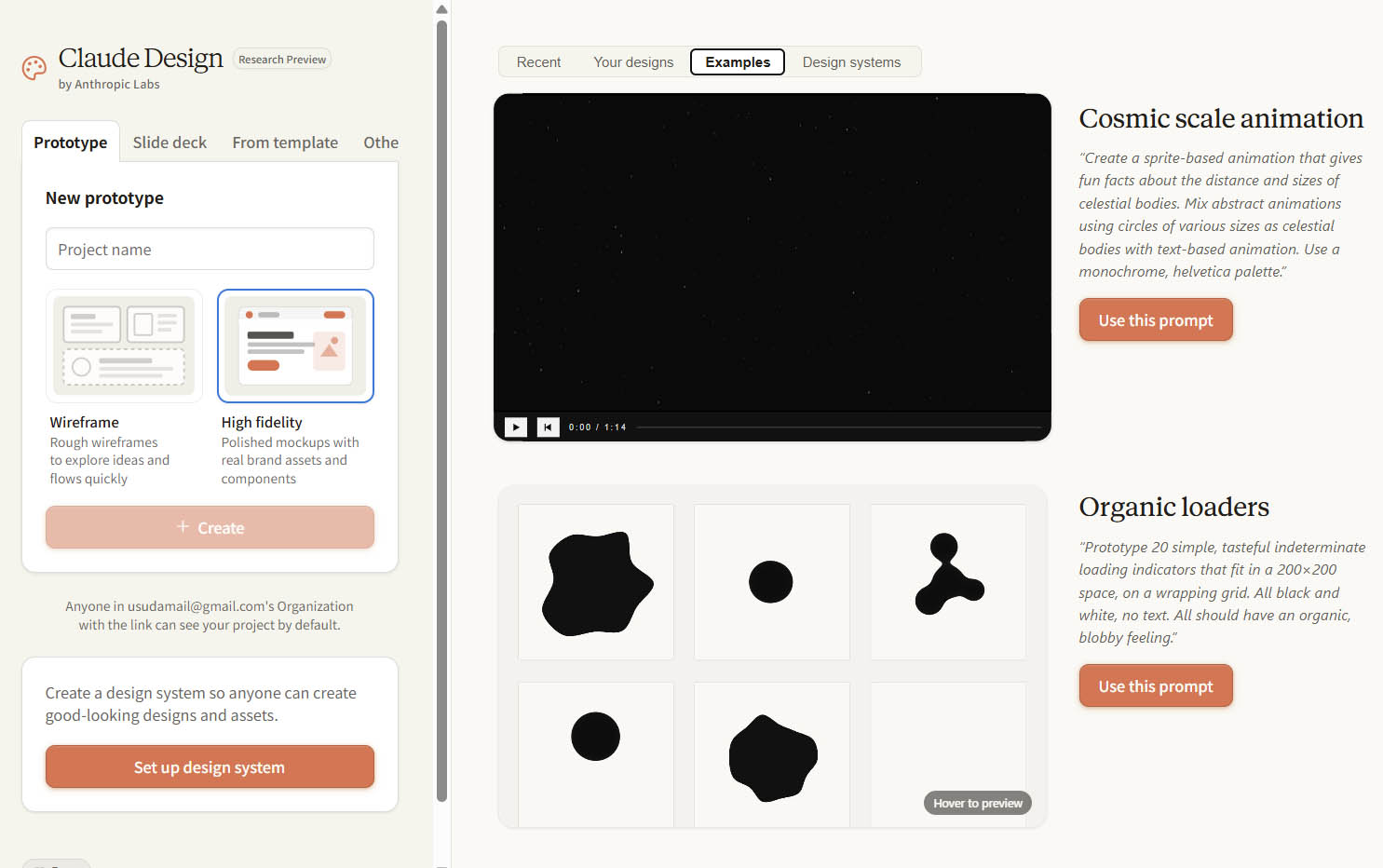
In April, Anthropic introduced Claude Design as a dedicated place to make prototypes, mockups, presentations and other visual work. In September, it put those capabilities inside ordinary Claude conversations. Now the standalone site is scheduled to stop accepting new projects on December 14. The obvious headline is that an AI design app is closing. The more revealing question is why it needed to be a separate app in the first place.
Because for anyone who had already asked Claude to build a clickable onboarding flow in an Artifact, the central promise sounded familiar. Type a request, get an interface, change it by talking to the model, and try the result in a browser. What, exactly, had Claude Design added?
The answer is neither “nothing” nor “a replacement for Figma.” Claude Design attempted to turn generated output into something designers could actually work on: a surface for visual control, critique, consistency and collaboration. Its brief life as a standalone destination exposes an important distinction in AI product design. A model can make a prototype without necessarily providing a good prototyping workflow.
- Claude Was Already Making Working Prototypes
- What Claude Design Actually Added
- The Prototype Is Not the Design Workflow
- Why the Dedicated Canvas Mattered
- What the Shutdown Really Signals
- Figma Make Faces the Same Question
- How to Evaluate AI Prototyping Tools
- The Bigger Question Is Where Design Begins
Claude Was Already Making Working Prototypes
Long before Claude Design launched on April 17, 2026, Claude Artifacts could render self-contained interactive experiences next to a conversation. A designer could request a responsive pricing page, a multi-step checkout, or an onboarding flow with working buttons and states, inspect the result and ask for revisions. Anthropic’s own earlier guide to AI-powered Artifacts described exactly that iterative, code-backed approach. The novelty of making something clickable was therefore not the product’s defining advantage.
This matters because AI product announcements often collapse three separate achievements into one: generating visual output, generating functioning behavior, and supporting the design process. A prototype can satisfy the first two and still be awkward to evaluate, maintain or hand over. A plausible-looking checkout experience may have functioning Next buttons while omitting error recovery, accessible focus states, localization constraints, loading behavior or the uncomfortable compromises of an actual component library.
Nor is a coded prototype automatically a validated interface. It can reveal an interaction hypothesis, but it cannot tell a team whether users understand the language, trust the information architecture, or recover from mistakes. Those questions still require research and judgment. As DW has argued in its coverage of AI-native teams, faster production only helps when critique and accountability remain part of the process.
What Claude Design Actually Added
Anthropic’s launch announcement reads less like a promise of a new model capability than a specification for a creative workflow. Claude Design offered direct manipulation of generated interfaces, comments pinned to visual elements, editable text, knobs for spacing and other properties, reusable design systems, team sharing, exports, and a handoff to Claude Code. That collection of affordances is the important story.
Consider a typical critique. A designer reviewing an onboarding prototype wants to reduce the visual weight of the hero, tighten spacing between fields, preserve the shared button component and ask a colleague whether the disclosure copy is comprehensible. In a basic chat-to-code loop, those concerns become additional instructions in a growing conversation. Claude Design tried to make some of them direct, local and inspectable. The designer could manipulate an element or leave a comment in context rather than repeatedly explaining which part of the screen they meant.
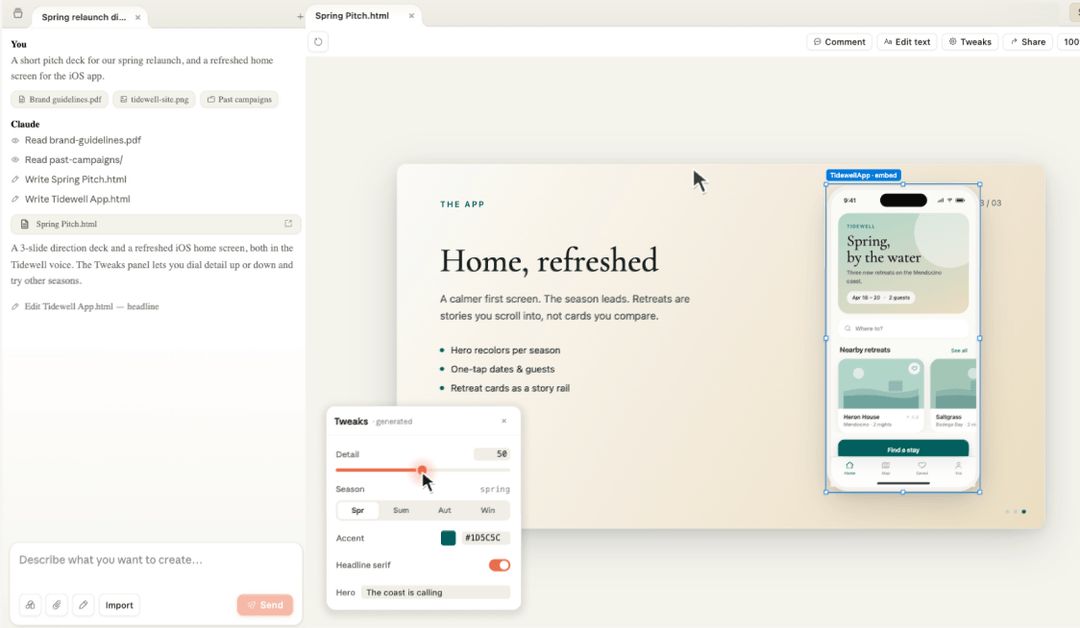
This is a UX distinction as much as a product feature. A conversational interface is flexible but can require users to reconstruct context in language. A visual canvas gives them recognition, spatial reference and more immediate control. Chat is excellent for intent and sweeping transformations; direct manipulation is often better for precise adjustments, comparison and discovering what’s actually editable.
There is also a difference between a design system being available somewhere and being the default context for every new attempt. Anthropic described importing brand and component information from codebases and design files so subsequent prototypes inherited it. That could reduce the familiar AI failure mode of generating polished but unrelated interfaces: attractive cards, plausible typography and a brand identity belonging to no real product.
There is also a difference between a design system being available somewhere and being the default context for every new attempt.
The Prototype Is Not the Design Workflow
Here is the harder test. Ask two tools for the same clickable prototype and both may succeed. Then ask them to preserve an existing component’s behavior, expose alternate error states, record why an accessibility compromise was rejected, support parallel feedback from a PM and a designer, and keep the approved direction coherent across revisions. The difference between making an interface and designing a product begins to emerge.
Design work is not a single generation event. It is a negotiation among constraints: visual hierarchy, interaction behavior, content, technical feasibility, accessibility, performance, research evidence, component governance and competing stakeholder priorities. The most useful design tooling makes those constraints visible and allows teams to return to their decisions. A chat transcript is not always a good substitute for a reviewable design artifact.
That is why the inline comments were arguably more interesting than the prototype demo. Comments bind criticism to a location and a state of the work. A reusable design system binds an exploration to a shared language. A controlled handoff attempts to carry the decisions downstream. Each feature moves the AI experience away from an impressive demo and toward the mundane, essential work of design organizations. See also DW’s analysis of the emerging design engineer role.
Why the Dedicated Canvas Mattered
A distinct design space can still be useful. It changes the user’s mental model from asking a general assistant for anything to entering a focused workspace with clear creation modes, a persistent canvas and the expectation of iterative review. For less technical users, that framing can make a complicated capability discoverable. For experienced designers, its stronger value is a predictable environment where intent, artifacts and feedback coexist.
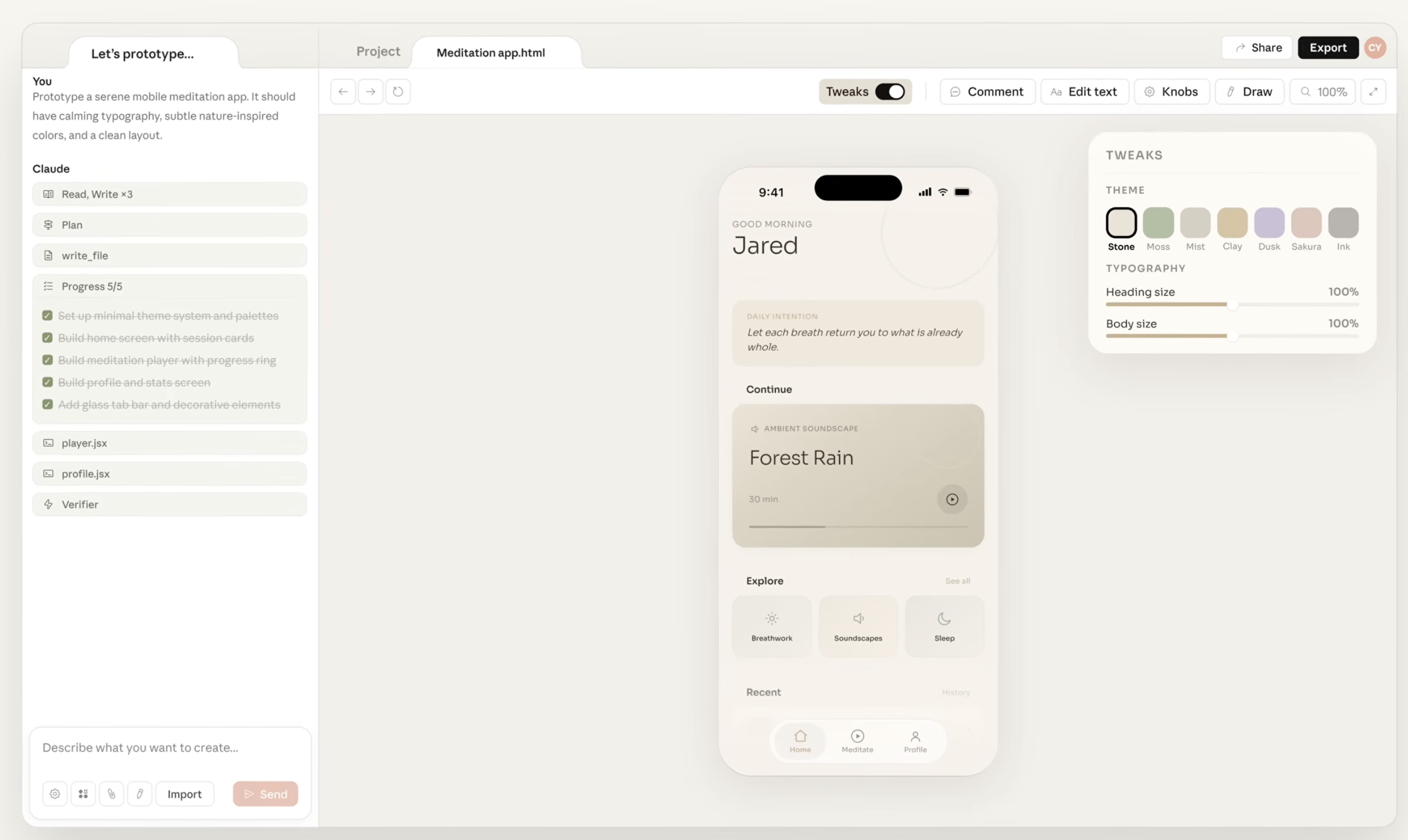
There is a useful tension here. Specialized UX can reduce ambiguity at the point of use while increasing fragmentation across an ecosystem. A designer may appreciate a dedicated canvas, but they may not appreciate having to decide whether a task belongs in chat, Design, Claude Code or another workspace, especially if context and assets do not travel cleanly between them. More surfaces do not always produce more control.
Anthropic’s September announcement of a unified Claude explicitly foregrounded that problem: users should not need to choose different places for different categories of work. Its decision to make Design an Artifact template inside conversations preserved a task-specific surface while removing a separate destination. That is a product architecture choice, not proof that visual design work has ceased to matter.
What the Shutdown Really Signals
The history deserves precision. Claude Design launched as an Anthropic Labs research preview on April 17. Anthropic said in June that more than one million people had used it in its first week. On September 16, the company announced that Design would work within general Claude conversations. Anthropic’s migration guidance now says the standalone site will close to new creation on December 14, 2026, with existing material subject to migration rules. None of those facts establishes that people rejected Claude Design or that its features failed.
Indeed, the opposite reading is plausible: useful features can be consolidated into a larger product precisely because they are useful. But the migration exposes another design problem. Anthropic says chats and comments from standalone Design do not move into Claude with the design systems. For teams, that means the visual artifact and the discussion that shaped it are not necessarily a single portable unit. A tool promising continuity from ideation to implementation should be judged partly on how well it preserves decisions, not just pixels.
The distinction is especially relevant in design systems. Tokens and components can transfer a visual and technical vocabulary, but they do not, by themselves, preserve the reasons a team chose a particular interaction, copy treatment or accessibility exception. There is still a gap between moving an artifact and moving its design rationale.
Figma Make Faces the Same Question
Figma Make makes a useful comparison because it began inside an established design ecosystem rather than emerging from a general conversational assistant. Its 2025 introduction pitched prompt-to-app prototyping; subsequent updates added richer attachments, reusable kits, direct editing and ways to embed working prototypes in Figma Design, FigJam and Slides. Figma’s own writing has acknowledged the practical problem: AI can generate a convincing interface that nevertheless lacks a team’s real components, copy and edge cases. DW has explored the same problem in Google Stitch’s DESIGN.md and Figma’s agent and design systems.
Anthropic is moving specialized design capabilities inward toward a general-purpose assistant; Figma is moving runnable prototypes outward through familiar design and collaboration spaces.
Anthropic is moving specialized design capabilities inward toward a general-purpose assistant; Figma is moving runnable prototypes outward through familiar design and collaboration spaces. These are different starting positions, but both acknowledge that the hardest question is no longer whether AI can draw and code a screen. It is where the work should live, what context follows it and who gets to control the next revision.
This does not establish that the two products are equivalent. Figma’s strength is its surrounding design ecosystem and artifact continuity. Claude’s strength is the general conversational and coding environment into which design is now integrated. The relevant comparison for design leaders is not a screenshot contest; it is whether a team can sustain a responsible workflow from rough idea through critique, testing, refinement and build.
How to Evaluate AI Prototyping Tools
A convincing demo is a poor procurement test. A better exercise is to take an actual flow from your product, not a generic travel or finance dashboard, and compare how the tools handle the work after the first prompt. Can you use approved components rather than approximations? Can you inspect keyboard navigation and error handling? Can a reviewer attach feedback to a particular state? Can you preserve variants without accidental regressions? Can engineers understand what is intentional versus model-generated?
A tool that creates ten directions in minutes may still waste a team’s afternoon if every revision reinterprets the system or erases the reasoning behind an earlier choice. Conversely, a slightly less spectacular initial result may be more valuable when it keeps design decisions legible and makes critique cheap. The right metric is not prompts per prototype but time from question to defensible product decision.
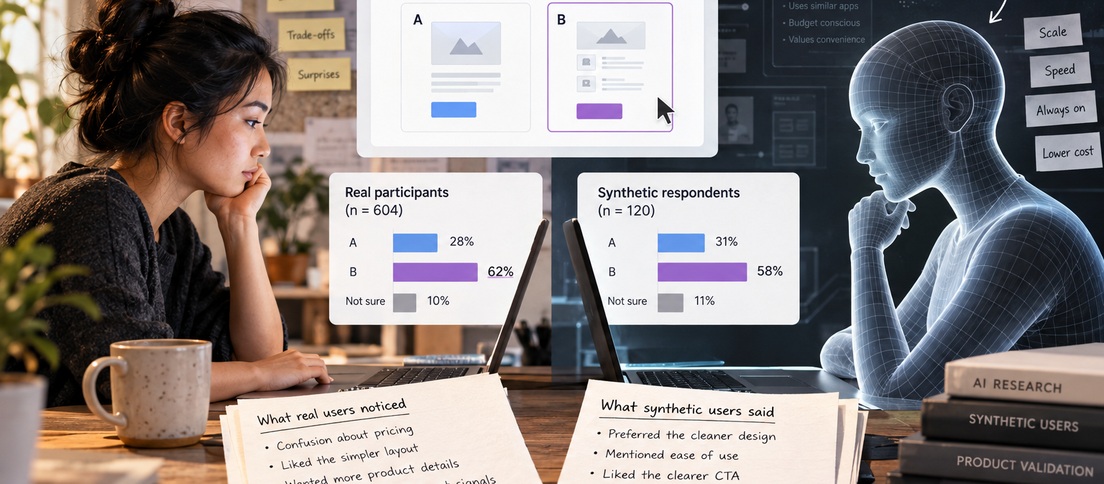
Design leaders should also resist treating a functional mockup as proof of usability. Accessibility checks, moderated observation, content validation, device testing and production constraints do not vanish because the interface appears to behave in a preview. An AI tool can lower the cost of exploring hypotheses. It cannot confer evidence on an untested hypothesis.
The Bigger Question Is Where Design Begins
Claude Design’s standalone closure is not an obituary for AI prototyping. It is a demonstration of how quickly the boundary between an assistant and a design application is being redrawn. The same capability can be presented as a separate product, a template, a canvas next to a chat or a step in a code workflow. Each packaging choice changes the user’s mental model and the cost of moving between activities.
For product designers, the useful question is not simply whether Claude can make the prototype. It already could. The question is whether the environment helps a team turn that prototype into a shared, criticizable, accessible and buildable design decision. That is where a design tool earns its place, and where the next competition will be decided.
Frequently Asked Questions
Is Claude Design being discontinued entirely?
No. The standalone site stops accepting new projects on December 14, 2026, while Design functionality remains in Claude, Artifacts and Claude Code. The migration depends on account and rollout.
Could Claude Chat already generate interactive prototypes?
Yes. Claude Artifacts supported code-backed interactive experiences before Claude Design. The separate Design experience added contextual editing, comments, design systems and collaboration.
Was Claude Design a Figma replacement?
Not categorically. Both can generate prototypes, but broader design-system governance, collaboration and downstream workflows differ.



Could your team replace a visual design workspace with conversational prototyping today? What would be the first thing you would miss?