

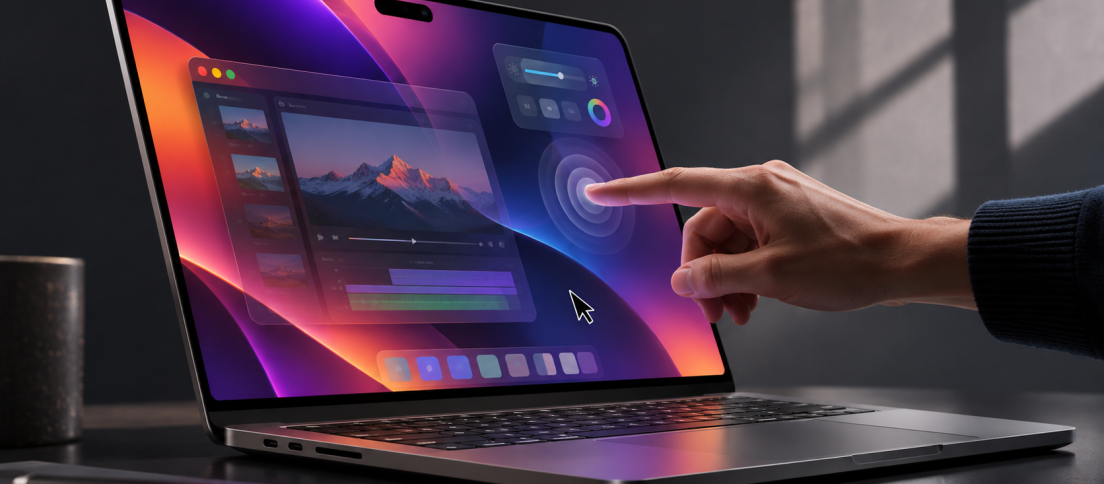
For more than a decade, Apple did not merely decline to make a touchscreen Mac. It constructed an argument for why one should not exist. In 2010, Steve Jobs said vertical touch surfaces were “ergonomically terrible,” a position revisited by The Verge ahead of the 2026 launch. Two years later, Tim Cook mocked the broader idea of tablet-PC convergence by comparing it to combining a toaster and a refrigerator. In 2016, Phil Schiller went further. Apple had tested touchscreen Macs, he said, and concluded that trying to serve a pointer and a finger in the same interface would degrade both. His verdict was unusually categorical: “You can’t optimize for both.”
On October 28, 2026, Apple launched a touchscreen MacBook Pro. It would be easy to write the story as an institutional U-turn. Apple was wrong, Windows laptop makers were right, and 16 years later Cupertino finally conceded. But that misses what Apple has actually built. The new MacBook Pro is not a tablet that happens to have a keyboard. macOS has not been transformed into iPadOS. The laptop does not fold into a tablet. Apple Pencil is not supported. Its menus, professional applications, keyboard shortcuts, pointer precision and information density remain unmistakably Mac-like.
Instead, Apple is proposing something more interesting than a late hardware catch-up: What if a desktop interface did not have to choose between touch and precision because it could change its behaviour according to how you were interacting with it? It is a compelling UX hypothesis. But a clever interaction model in developer guidance and brief demonstrations is not proof that the experience will improve everyday work. The more demanding questions concern the gestures that fail, the precision that must survive, and whether a screen built for professional work is actually better when touched. That is the test facing the first touchscreen Mac.
Touchscreen MacBook Pro 2026: the essentials. Apple’s first touch-enabled MacBook Pro was unveiled on October 28, 2026, with 14.2-inch and 16.3-inch tandem-OLED PROLED XDR displays, M5 Pro or M5 Max chips, and macOS 27. US prices start at $2,899 and $3,399, with availability beginning November 6, 2026. It has Dynamic Island but no Apple Pencil support. The more important question is whether that new touch layer genuinely improves the Mac’s UX. (Apple’s announcement.)
- Touchscreen MacBook Pro: Price, Specs, Release
- Apple Spent 16 Years Saying This Was Bad UX
- Touch on macOS 27: The Adaptive UX Bet
- Touch-Friendly Is Very Different From Touch-First
- Steve Jobs Was Still Right About One Thing
- Where Touch Actually Beats a Trackpad
- Does the Touchscreen MacBook Pro Support Apple Pencil?
- PROLED XDR OLED: The Bigger Hardware Upgrade
- Dynamic Island Creates a New Reachability Problem
- Why Is Apple’s Newest MacBook Pro Using M5 Instead of M6?
- What Touch Changes for Mac UX Designers
- The Mac Just Acquired a New Kind of Design Debt
- Touchscreen MacBook Pro FAQs
- Apple Did Not Merge the Mac and iPad. It Made the Boundary Porous
Touchscreen MacBook Pro: Price, Specs, Release
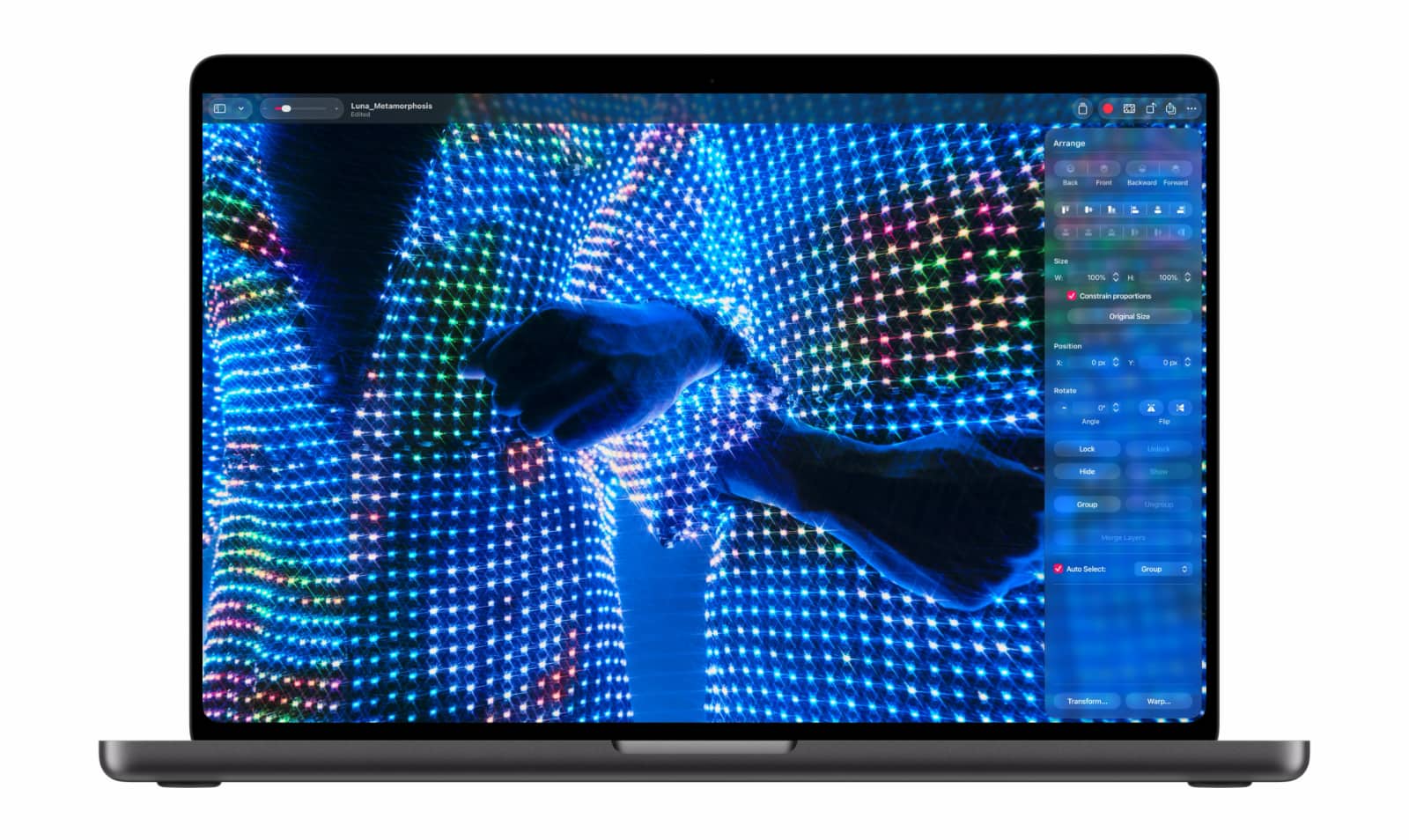
Apple officially calls the 2026 touchscreen MacBook Pro the MacBook Pro with PROLED XDR Display, as confirmed in its October 28 launch announcement. There are 14.2-inch and 16.3-inch versions, both using a new tandem OLED panel with Multi-Touch built directly into the display stack rather than added as a separate touch layer. Apple claims up to 2,000 nits peak HDR brightness, up to 2,000 nits peak outdoor SDR brightness, a 10,000,000:1 contrast ratio, P3 and Adobe RGB colour support, and ProMotion that can vary between 10Hz and 120Hz.
| 14-inch | 16-inch | |
|---|---|---|
| Starting price | $2,899 | $3,399 |
| Display | 14.2-inch tandem OLED | 16.3-inch tandem OLED |
| Touch | Multi-Touch | Multi-Touch |
| Chips | M5 Pro / M5 Max | M5 Pro / M5 Max |
| Unified memory | Up to 128GB | Up to 128GB |
| Storage | Up to 16TB | Up to 16TB |
| Weight | 3.0 lb | 4.0 lb |
| Refresh rate | 10Hz–120Hz | 10Hz–120Hz |
| Peak HDR / outdoor SDR | 2,000 nits | 2,000 nits |
| Availability | November 6, 2026 in the US | November 6, 2026 in the US |
The redesign also brings Dynamic Island to the Mac, a 12MP Center Stage camera, Wi-Fi 7, Bluetooth 6, three Thunderbolt 5 ports, HDMI, SDXC, MagSafe, a headphone jack, up to 24 hours of claimed battery life and, unexpectedly, the return of the glowing Apple logo. The 14-inch machine is about half a pound lighter than its predecessor, while the 16-inch sheds roughly 0.7 pounds.
The machines are expensive even before configuration madness begins. TechCrunch found that the fully loaded 16-inch model can reach $14,549, largely because 128GB of memory and the new 16TB SSD option dramatically increase the price. That makes this less a mainstream MacBook revolution than an expensive experiment at the top of Apple’s laptop range. Macworld’s launch comparison puts the new touchscreen models at roughly a $400 premium over comparable non-touch M5 configurations, although the screen, chassis and other changes are bundled into that price. At these prices, occasional convenience is not automatically a convincing reason to buy; Apple must show what touch adds that its excellent trackpad does not already accomplish.
Apple Spent 16 Years Saying This Was Bad UX
Apple’s resistance to touchscreen Macs was not technological conservatism. It was presented as a design principle. When Jobs introduced ideas from iOS into Mac OS X in 2010, he explicitly rejected putting Multi-Touch on the display. His reasoning was ergonomic: vertical touch looked good in demonstrations but caused fatigue when used repeatedly. Apple therefore moved Multi-Touch gestures onto the horizontal trackpad instead.
Cook expanded that argument into a broader philosophy two years later. Microsoft was preparing Windows 8, an operating system designed to span conventional PCs and tablets. Cook argued that such convergence created compromises. The Mac and iPad, in Apple’s view, worked precisely because each had been optimised around a different interaction model.
Schiller then made the interface-design objection explicit in 2016. Making controls finger-friendly meant making them less suited to the precision and density of a pointer-driven interface. Apple had experimented internally and decided the compromise was not worth it. Even John Ternus, then Apple’s hardware chief and now its CEO, said in 2021 that the Mac was optimised for indirect input and Apple had not seen a reason to change that position. Five years later, Ternus has changed the product without completely abandoning the principle.
In an interview with WIRED around the launch, he described the Mac as still being “first and foremost an indirect input device.” Touch is there for the moments when directly reaching for something feels more convenient. Apple, he said, waited until touch could be added without making the computer thicker, heavier or otherwise worse. That distinction matters to Apple’s design rationale, but it does not settle the usability question. Rather than declaring Jobs’ original argument entirely wrong, Apple is betting that touch can be valuable without becoming the dominant input simply because a touchscreen exists. Whether users find enough such moments to justify the added interaction layer remains to be seen.
Touch on macOS 27: The Adaptive UX Bet
Apple has now created a platform-level design requirement around the input itself: hover, hit area, target tolerance, drag behavior and system gestures can no longer be assumed to behave identically for mouse and finger. This is not a wholesale redesign of macOS. It is a more complicated contract between the operating system and its developers. The most interesting part of the new MacBook Pro may not be visible on the spec sheet. It is the way macOS now thinks about input.
Desktop interfaces have historically been designed around extremely precise pointing devices. A cursor can hit tiny disclosure arrows, narrow resize handles, densely arranged toolbar icons and compact menu items. That precision allows desktop software to fit enormous amounts of functionality onto one screen. A fingertip is different. Touch targets need more tolerance. Hover disappears. Your hand obscures content. Long-distance movement across a display costs more physical effort. A control optimised exclusively for a mouse can become frustratingly small when touched.
The obvious response is the approach tablets took: enlarge everything. Apple has chosen something subtler. Its developer material for Touch on Mac explicitly asks designers to consider touch-target sizing while keeping applications good with a pointer and keyboard, rethink interactions that depend on hover, and account for native controls such as sliders, steppers and dials that can expand when being used through touch. Its technical guidance also introduces updated gesture recognisers, larger effective hit areas and touch-specific event handling.
The Verge observed versions of this behaviour during hands-on testing. Some controls become easier to hit during touch interaction rather than forcing the entire Mac interface to permanently inflate. This is Apple’s proposed answer to Schiller’s 2016 objection, not yet its conclusive rebuttal. Rather than attempting one fixed interface equally optimal for finger and mouse, the company is trying to design an interface whose interaction affordances can change with the modality. That could preserve desktop density, but the more difficult test is whether the transitions are predictable across real applications, including ones Apple does not control. Responsive design, in other words, may no longer mean only adapting to viewport width. It may also mean adapting to the input device currently touching the product. For product designers, that is a much more interesting development than being able to pinch a photo on a laptop.
The touchscreen Mac’s most consequential promise is an interface that knows when precision has changed. The question is whether that promise holds up outside a launch demonstration.

Touch-Friendly Is Very Different From Touch-First
Apple has been unusually careful not to imply that touch replaces the trackpad. Its own launch material repeatedly describes touch working alongside keyboard shortcuts and trackpad gestures. Existing applications do not suddenly become tablet apps. macOS can translate taps into mouse clicks for software that has not yet been redesigned for native touch, while developers can go further by supporting gestures and touch-native behaviours. That compatibility layer is crucial.
A company with decades of desktop software cannot suddenly ask every developer to rebuild interfaces for fingers. At the same time, merely emulating mouse input would leave much of touch’s value unrealised. Apple therefore has three layers of interaction running simultaneously. There is the keyboard, still unmatched for high-frequency commands and text entry. There is the pointer, ideal for precision. And there is now direct touch, useful when the object being manipulated is itself spatial. The UI does not need to pick a winner.
This is also why the touchscreen should not be confused with a second attempt at the Touch Bar, whose initial promise The Washington Post questioned in 2016. The Touch Bar moved commands into a narrow, changing strip and asked people to remember another interface above their keyboard. Direct screen touch does the opposite: it operates on the object where the user is already looking. The reduced cognitive indirection is the potential advantage, but the reach cost is real.
Consider how dense an existing creative workspace already is. A Mac user needs room for an image canvas, layers, inspection panels, menus and precise selection handles. The challenge is to add touch to that workspace without spreading controls across the whole display.
Steve Jobs Was Still Right About One Thing
Touch did not become more ergonomic because Apple finally shipped it. A vertical screen still requires your hand to leave the keyboard or trackpad and travel through space. Repeated reaches still involve the shoulder and arm rather than a few centimetres of finger movement. Early hands-on reports already expose this tension. The Wall Street Journal found touch useful for visual tasks such as panning maps and manipulating a video timeline, but less persuasive for routine operation because of small targets and the physical effort involved in repeatedly lifting an arm.
The Verge also found that firm presses could still make the display wobble, despite Apple redesigning the hinge specifically to make touch interactions more stable. Apple clearly anticipated the problem. The hinge has been reinforced, and Apple even added video stabilisation that compensates for physical movement of the screen during calls. That detail is almost comically revealing.
If an operating system has to stabilise your webcam because touching the screen physically moves the computer, the interaction carries a mechanical cost that trackpad input simply does not. But Jobs’ critique assumed something the new Mac does not require: sustained touch. There is a major ergonomic difference between operating a laptop through touch and occasionally reaching out to manipulate something directly. Touch can be poor as a posture and excellent as a moment. That is how Apple has reframed the argument, but we still need to know how frequently those moments arise and whether their benefits outweigh repeated reaching.
Where Touch Actually Beats a Trackpad
The clearest case for touch appears wherever the digital object has a strong spatial relationship to the physical gesture. Pinching a map is easier to understand than moving a cursor to zoom controls. Rotating a 3D model directly can feel more immediate than translating the same intention through a trackpad. Scrubbing a video timeline with a finger may be useful when approximate location matters more than frame-level precision.
During Ars Technica’s hands-on session, touch worked for moving and resizing windows, dragging files between apps, scrolling and zooming, drawing, manipulating 3D content, scrubbing video and switching between desktop spaces. Ars’ conclusion was telling: many system-level gestures did not achieve anything fundamentally impossible with the trackpad, but creative applications showed more potential. Apple itself is emphasizing precisely those workflows. In Final Cut Pro, it demonstrates editors marking ranges, placing clips and pinching timelines. Pixelmator Pro supports drawing, painting and selection directly on the canvas. Logic Pro turns the display into a multi-touch musical surface with keyboards, pads and other controls.
Direct manipulation is strongest when the user thinks: “I want that thing there.” A cursor introduces an intermediate representation. A finger does not. But there is an equally important inverse. When the task is “I want exactly this three-pixel boundary”, a pointer remains superior. That suggests the best touchscreen Mac applications will not simply make every control tappable. They will understand which parts of the workflow benefit from immediacy and which require precision. Apple has demonstrated the possibilities, but these are still examples of what touch can do, not evidence that professional users will prefer it over established trackpad and keyboard workflows. The harder questions come after that first satisfying gesture: why Apple omitted Pencil, what OLED really contributes, whether Dynamic Island is reachable, and how third-party apps cope when someone switches from pointer to finger mid-task. Those design decisions determine whether this is a new UX capability or simply another expensive interaction to maintain.

Does the Touchscreen MacBook Pro Support Apple Pencil?
One omission makes Apple’s strategy especially clear. The new MacBook Pro does not support Apple Pencil. That feels strange for a computer Apple is pitching to illustrators, photographers, 3D artists and other visual professionals. A finger is excellent for broad manipulation. It is significantly less useful for precise retouching, illustration or handwriting. Both The Verge and Ars highlighted the lack of Pencil support in their early hands-on coverage. The computer also remains a conventional clamshell rather than folding flat into a drawing surface.
This may be less an oversight than a boundary. Pencil support would immediately make the vertical-screen problem harder to ignore. Drawing on a near-upright laptop for long periods is awkward. Solving that properly would push Apple toward a 2-in-1 hinge. And that would move the MacBook much closer to precisely the hybrid computer Apple spent years criticising. So Apple has stopped one step short. The Mac can now be touched. It still refuses to become an iPad.
PROLED XDR OLED: The Bigger Hardware Upgrade
Touch will dominate the headlines, but several early testers came away more impressed by the screen itself. Apple’s PROLED XDR display uses a tandem OLED architecture with two self-emissive layers. It promises true blacks without Mini-LED blooming, a claimed 10,000,000:1 contrast ratio, up to 2,000 nits peak HDR brightness and up to 2,000 nits for outdoor SDR content, plus P3 and Adobe RGB coverage. Apple says it exceeds 80 percent coverage of Rec. 2020.
Ars Technica called the OLED panel the standout of its brief hands-on, citing its brightness, black levels, colour and dynamic range. The OLED stack also helps make the machine physically smaller and lighter. Apple says both models are thinner, while the 14-inch drops to three pounds and the 16-inch to four. There is another UX complication here. A professional display is traditionally something you look at. A touchscreen is something you touch.
Those behaviours create competing requirements around fingerprints, glare, friction, heat and colour-critical viewing. Apple has added an oleophobic coating, an anti-reflective treatment and an optional nano-texture finish, while redesigning thermal airflow to direct heat away from the screen. The display therefore has to succeed simultaneously as an accurate optical instrument and a physical control surface. That is a much harder design brief than simply adding a touch sensor. It also deserves the same skepticism we applied in our critique of Apple’s Liquid Design decisions: novel surfaces and impressive visual fidelity do not automatically translate into a better experience.

Dynamic Island Creates a New Reachability Problem
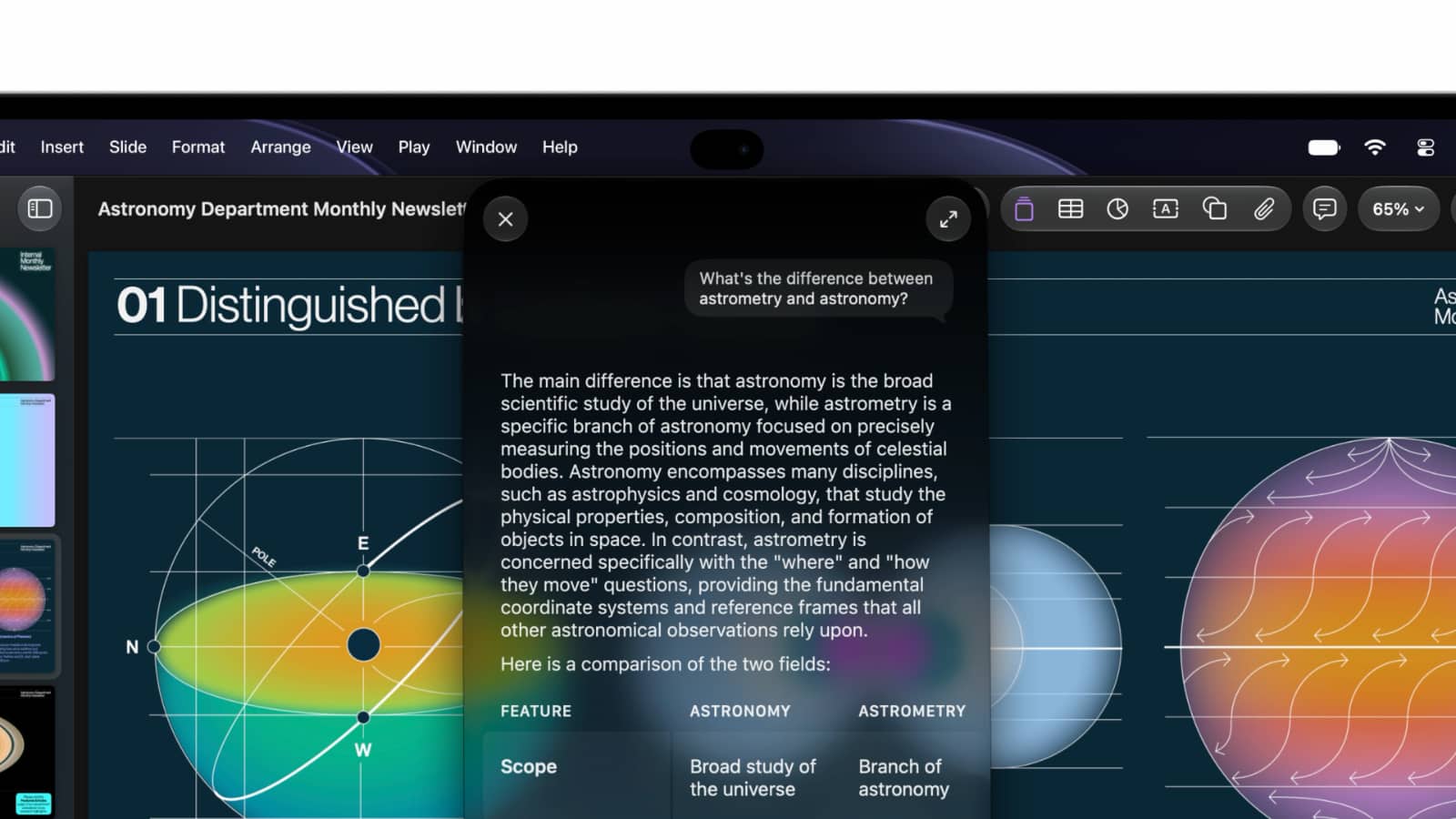
Dynamic Island has also migrated from iPhone to Mac. Apple is using it for Spotlight, Live Activities, media controls, notifications and Siri AI. Unlike the old notch, the cutout is no longer merely dead hardware space disguised by software. It becomes interactive. Conceptually, this is clever. Ergonomically, it creates an odd contradiction. On an iPhone, Dynamic Island sits close to the thumb’s natural operating space. On a 16-inch MacBook Pro, it occupies one of the furthest points from the user’s resting hands.
That is not necessarily bad design if interactions are occasional. It becomes questionable if the Island turns into a frequently used command centre. This is where touchscreen design cannot be evaluated through target size alone. A target can be enormous and still be physically expensive to reach. The new Mac introduces a second dimension to Fitts’s Law that many desktop designers have been able to mostly ignore: the user is not only moving a pointer toward the target. Sometimes the user is moving an arm.
Why Is Apple’s Newest MacBook Pro Using M5 Instead of M6?
The product lineup has another oddity. One day before introducing this futuristic touchscreen flagship, Apple announced a conventional 14-inch MacBook Pro powered by the newer M6 chip. The expensive touchscreen models use M5 Pro and M5 Max instead. For buyers who equate higher chip numbers with newer machines, that is confusing.
It also makes the new MacBook Pro an unusually display-led release. Apple is effectively selling the new industrial design, OLED panel and touchscreen experience as a higher-end branch while its standard MacBook Pro has already advanced to the next base-generation processor. Ars reports that Apple may ultimately skip M6 Pro and M6 Max rather than refresh these models immediately, but until Apple outlines the longer-term lineup, the naming creates unnecessary cognitive load. For a company historically admired for product-line clarity, the Mac now requires more explanation than it should.
What Touch Changes for Mac UX Designers
This is where the story becomes bigger than Apple hardware. For years, product teams could make a fairly reliable assumption about a Mac user: they had a high-precision pointing device. That assumption has now weakened. Apple’s own developer guidance explicitly addresses gesture handling, expanded hit targets, hover interactions, system gestures and controls that behave differently in a touch context. macOS 27 also exposes whether touch capability is available and extends event-handling APIs for touch-sensitive interaction.
A Mac interface therefore increasingly has to accommodate several interaction grammars at once. Keyboard-first users want speed. Pointer users want precision. Touch users want forgiving direct manipulation. Accessibility technologies may require entirely different interaction paths. The solution is not to enlarge the entire application until it resembles a tablet. The more promising pattern is progressive target adaptation.
A compact control can remain visually compact but expose a larger touch region. A slider can expand during direct manipulation. Hover-dependent information can acquire an alternate reveal mechanism. Canvas gestures can become touch-native without forcing every inspector and toolbar into giant buttons. This turns input mode into interface state. That matters well beyond Apple. Responsive web design taught teams to stop assuming a fixed viewport. The touchscreen Mac should push them toward abandoning another assumption: a fixed input modality.
A useful QA plan should test the same task three ways: entirely with keyboard, precisely with trackpad or mouse, and directly with touch. It should also test the transition halfway through the task. Can a user select an item with a pointer and continue dragging by touch? Can a hidden hover action be revealed on a touchscreen? Can a finger dismiss a dialog without accidentally activating the control behind it? Can the user complete everything without touching the display at all?
Five Touchscreen Mac UX Tests Worth Running
Apple’s Touch on Mac guidance describes the tools developers can use to make this possible, but compatibility should be treated as the starting point rather than the finish line. Here is the practical UX evaluation framework we would use before declaring the touchscreen MacBook Pro a better machine for demanding work.
| UX Test | What to Try | What Good UX Would Look Like |
|---|---|---|
| Switch Inputs | Start a task with the trackpad and finish it with a finger. | Selection and focus persist; there are no surprise drags or state resets. |
| Reveal Hidden Actions | Reach a command normally exposed only on hover. | The command remains discoverable using touch and accessible without touch. |
| Handle Precision | Manipulate fine canvas controls, text selections and narrow timeline handles. | Large touch targets help without removing pixel-accurate pointer control. |
| Recover from Errors | Miss a touch target, undo an action, then return to the keyboard. | Feedback, undo and focus recovery remain clear across input modes. |
| Test Physical Reach | Repeat realistic editing and navigation tasks through a longer session. | Touch saves enough effort to justify arm movement, fingerprints and wobble. |
These checks are deliberately stricter than asking whether a tap registers. If the Mac fails any one of them, an application may technically support touch while still offering a worse experience than the pointer-first workflow it replaced. A credible verdict will require repeatable testing across both Apple’s showcase apps and the much larger ecosystem of professional software.
Design systems must document both visible size and effective hit area, gesture conflicts with macOS, focus states, precision fallbacks and accessibility alternatives. These are not merely engineering implementation details. They shape whether the interface feels coherent across input modes. This is a continuation of the broader state-management problem we identified in the iPhone Duo, and the continuity challenges in foldable UX. In both cases, the interface should respond to how the device is being used rather than blindly scaling its layout.
Apple has also quietly updated its Design Resources library with official MacBook Pro PROLED XDR product bezels in PNG and Photoshop, alongside its macOS 27 design kit. These assets make device mockups easier to produce, but a bezel is not a touch-usability test. Designers still need to evaluate target sizes, gesture conflicts, physical reach, focus states and transitions between keyboard, pointer and finger on real hardware.
The Mac Just Acquired a New Kind of Design Debt
There is a downside. Touch support can become inconsistent very quickly. Apple says existing Mac applications can receive basic touch interaction because the OS translates touches into clicks. That is a useful compatibility mechanism, but it also means an application can technically “work with touch” without actually being designed for it. Apple’s release notes distinguish basic translated clicks from deeper gesture support. That distinction will matter.
A user might touch one application and get fluid pinch gestures. Another might respond to taps but have frustratingly tiny controls. A third may depend on hover states that become undiscoverable. A fourth might interpret a gesture differently. The more users switch between touch and trackpad, the more expensive that inconsistency becomes. We might think of this as modality debt. A product accumulates modality debt when its interface technically supports multiple forms of input but behaves predictably with only one. The Mac has largely avoided that problem because the input assumptions were stable.
Touch compatibility is not touch usability. A platform can accept finger input while its products still behave like mouse-only interfaces.
It cannot anymore. And because Apple is starting with a $2,899 professional machine, the first people encountering this debt may be users of exactly the kind of complex software most difficult to retrofit. Adobe applications. 3D modelling tools. Video timelines. Development environments. Data-heavy professional products. This may become one of the most interesting desktop UX problems of the next several years, and the burden of solving it cannot be passed entirely to third-party developers. Apple created the new expectation; the quality of the experience must be judged across the Mac software ecosystem, not just in Apple’s most polished demonstrations.
Touchscreen MacBook Pro FAQs
When does the touchscreen MacBook Pro come out and how much is it?
Apple announced the touchscreen MacBook Pro on October 28, 2026. US availability begins November 6, with the 14.2-inch M5 Pro model starting at $2,899 and the 16.3-inch M5 Pro model at $3,399. Both include the PROLED XDR tandem-OLED touchscreen; configuration, memory and storage choices can substantially raise the price.
Can you use Apple Pencil on the touchscreen MacBook Pro?
No. The 2026 touchscreen MacBook Pro accepts finger input, but Apple Pencil is not supported. That distinction matters for professional illustrators and designers who need accurate drawing, masking or annotation, because the screen remains upright in a traditional laptop hinge rather than folding into a pen-first canvas.
Will existing Mac apps work with touch in macOS 27?
Many existing Mac applications can respond to taps because macOS translates basic finger actions into clicks. That does not mean every app has finger-friendly controls, touch gestures or alternatives to hover. Developers can add deeper functionality, but users should distinguish basic compatibility from thoughtful touch UX.
Is the touchscreen MacBook Pro worth upgrading to?
It is too early to treat the new touch system as a proven productivity improvement. The OLED display, lower weight and redesigned hardware may be compelling on their own; touch is most promising for direct manipulation in creative apps. If your current trackpad-and-keyboard workflow already feels efficient, independent tests of the exact applications you use are more useful than a launch demonstration.
Apple Did Not Merge the Mac and iPad. It Made the Boundary Porous
Touchscreen laptops are not new. Reuters cites IDC figures showing 33.4 million touch-enabled notebooks shipped in 2025, with an average selling price around $1,009. Other IDC reporting puts touch at roughly 16 percent of notebook shipments. Apple is therefore entering an established category while charging nearly three times the market’s touchscreen average at the starting line. See Reuters’ launch report. That makes the hardware itself less revolutionary than the mythology around it.
Windows vendors have been shipping touchscreen laptops for years. Convertibles have existed for years. Stylus-enabled PCs have existed for years. Apple’s contribution will have to be something more specific. Its bet appears to be that a touchscreen laptop does not have to become a tablet and a desktop interface does not have to become a touch interface. The distinction sounds semantic until you use it as a design principle. But Windows manufacturers have already spent years testing variations of touch-enabled desktop computing, and Apple has yet to establish that its version produces better everyday outcomes rather than a more carefully marketed implementation.
Apple has kept macOS dense, preserved keyboard shortcuts, retained the conventional hinge and withheld Pencil support. It still describes the Mac as primarily an indirect-input machine, now with touch layered on top. That restraint is sensible, but restraint by itself is not an interaction breakthrough. Jobs’ concerns about prolonged vertical touch and Schiller’s concerns about compromising pointer precision have not vanished; Apple has simply proposed a way to work around them. The proposal deserves scrutiny rather than automatic credit for elegance.
Cook’s warning about hybrid compromises also remains relevant. Apple is pursuing a more selective approach, one that could let keyboard, pointer and finger coexist without making touch the organising principle of the Mac. But could is doing important work here. We still need to see whether touch makes demanding tasks faster, whether adaptive controls stay consistent across applications, whether the ergonomics hold up over long sessions and whether users reach for the display often enough to justify the added cost and complexity. For years the industry asked whether laptops should be controlled by fingers or pointers. Apple’s latest answer is that the interface should understand both. It is an attractive hypothesis, not a proven achievement, and Apple should have to earn that conclusion through use rather than reputation.




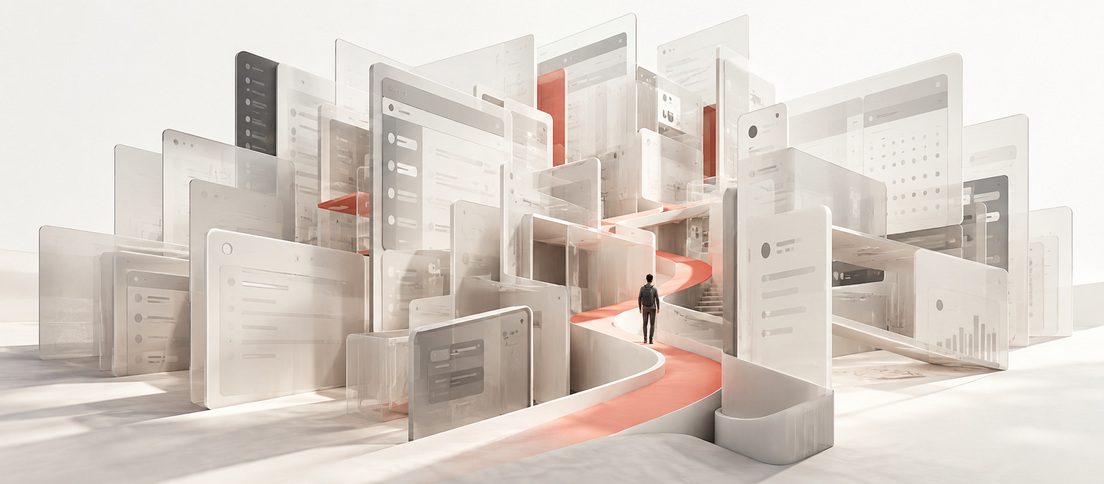

Apple spent years arguing that a Mac should not be designed around touch. Now that touch is here, the interesting question is not whether Apple changed its mind, but whether macOS can support fingers without sacrificing everything the pointer made possible.