
Open your company’s HR portal to request leave. Find the right form, discover that the action you need has moved, and spend five minutes completing something that should take thirty seconds. Then open Jira, chase an issue across views and filters, and switch to Slack to locate a reply that has disappeared into a thread.
If any of that sounds familiar, here is the uncomfortable question: why do so many successful workplace products provoke so much frustration? And, more provocatively, if a product can thrive despite its rough edges, how much does good UX design actually matter?
This is not an argument that Slack, Jira or Workday have objectively bad UX. Their users, configurations and workflows vary enormously. It is a closer look at recurring usability complaints, the business systems that keep these products indispensable, and the limits of measuring a product’s design quality by whether it wins its market.
Slack Shows Why Useful Is Not Simple
Slack is an excellent place to examine the gap between a product’s usefulness and the effort of using it. Its channels preserve team conversations, threads keep replies attached to a subject, and search can recover decisions that would otherwise vanish into private inboxes. Yet the same architecture asks people to continually decide which channel matters, which conversation deserves a reply, and whether an important update lives in a thread, a message or an activity feed. The benefit and the burden arise from the same design choices.
That makes Slack difficult to judge through a simple good-versus-bad UX lens. A newcomer may see an exhausting collection of channels and unread markers; a practiced teammate may see an efficient map of colleagues, projects and institutional memory. Configuration matters, too. A workspace with disciplined channels and notification norms is a different experience from one where every update becomes an alert. Interface design cannot be evaluated in isolation from the system of work it enables.
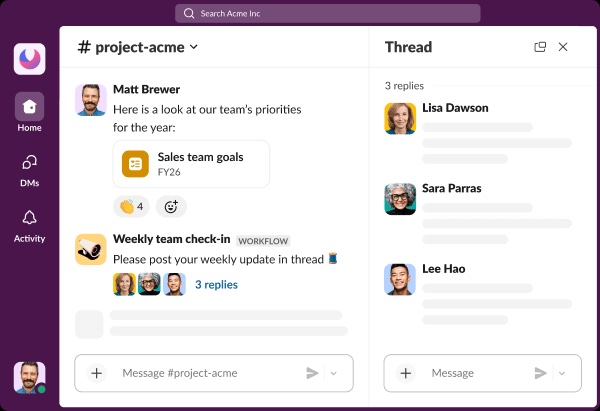
Slack’s own product evolution illustrates the trade-off. In January 2026, it began rolling out a redesigned Activity view that brings more notifications and follow-up work together. Consolidation may reduce the effort of hunting across surfaces, but relocating familiar actions also imposes a learning cost. The design challenge is not merely to make more information accessible. It is to help people decide what actually needs their attention.
Jira Makes Complexity Look Ordinary
Open a Jira board and the value of the product is immediately visible. Work items move through statuses, teams can track releases and organisations can model complicated processes. Atlassian’s own board documentation explains how columns, work items and views serve shared project coordination. That is genuine product utility, not a consolation prize for awkward screens.
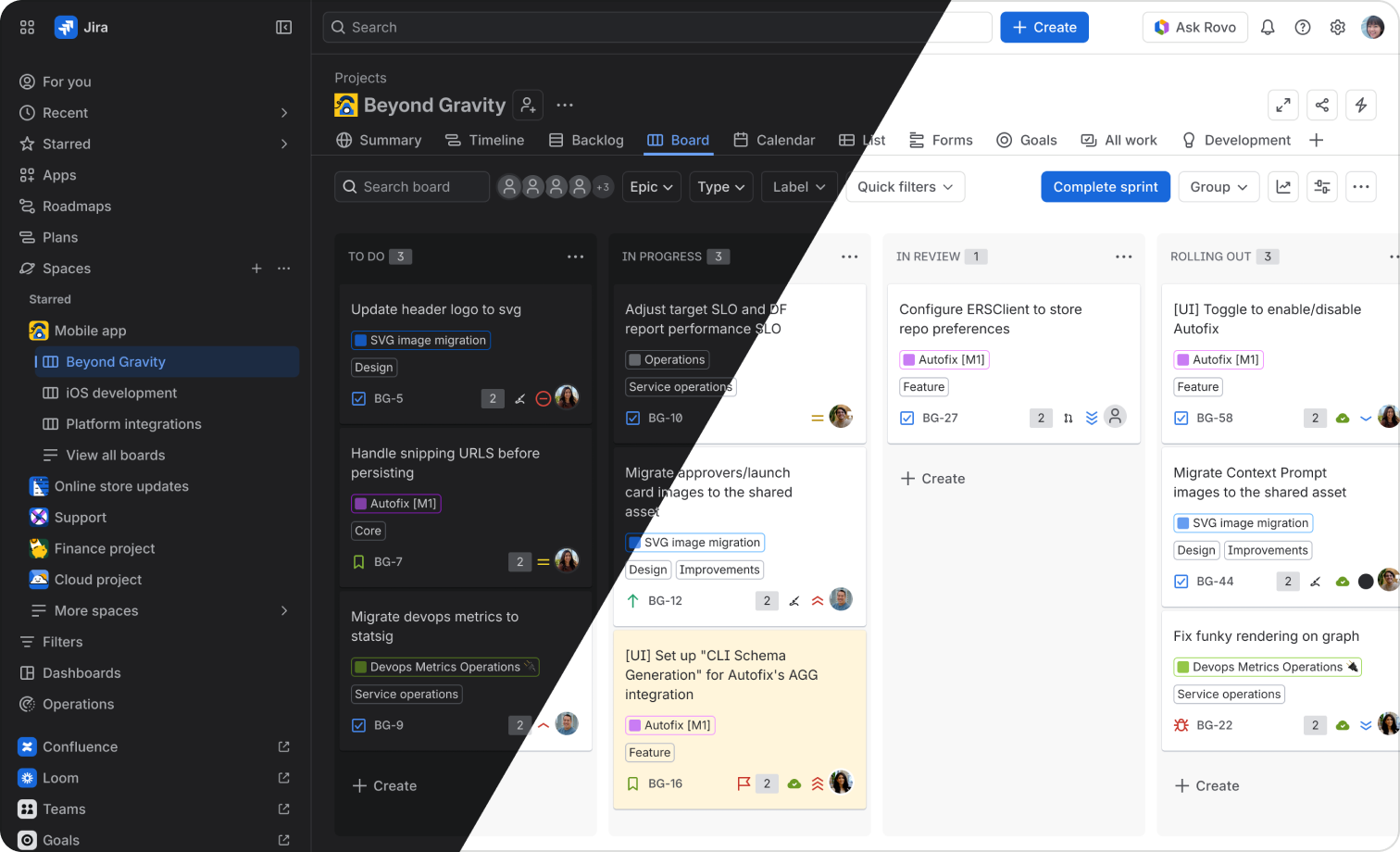
Yet the same flexibility can turn a routine status update into a small exercise in systems archaeology. An issue might sit inside a project, workflow, custom field, permission scheme and dashboard view that all make sense to the administrators who configured them. To someone who simply wants to see whether a bug is fixed, the hierarchy can feel excessive.
This is not proof that Jira has failed at UX. It reveals a deeper design trade-off: enterprise tools often optimise for the full range of organisational possibilities, while individual users experience only a narrow portion of that range. The visible interface carries the weight of capabilities they may never need.
Workday Reveals the Cost of Familiarity
Workday offers an even sharper example because its users do not all arrive with the same job to do. An employee may log in a few times a year to submit an expense or find a payslip. An HR administrator may spend eight hours a day working through actions, records and reports. The feature that looks prominent to one audience may be an interruption to the other.
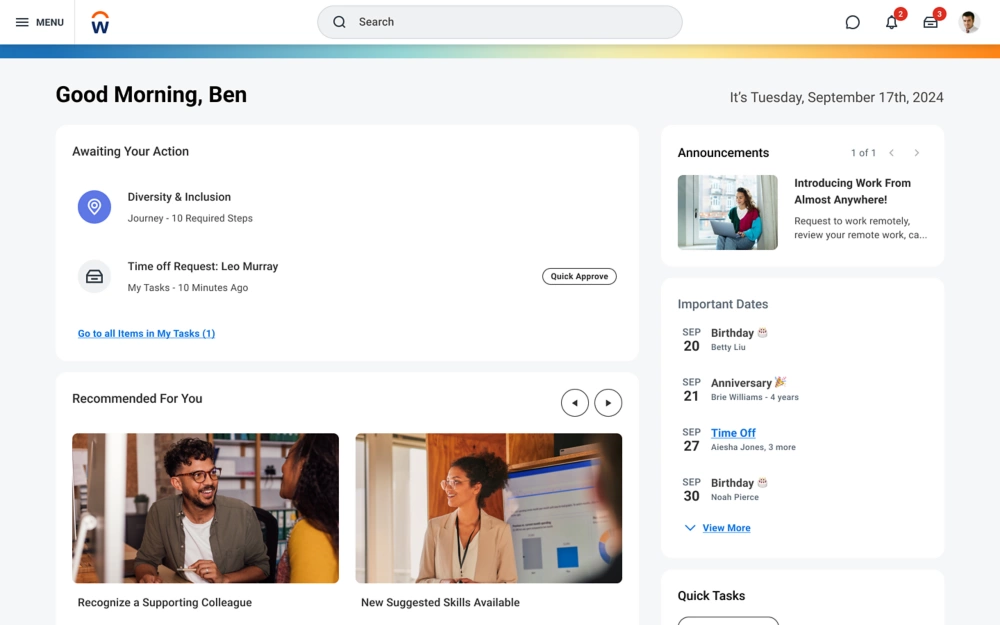
An employee-facing home screen may communicate simplicity: clear cards, recommended actions, a small number of next steps. Behind it sits a much larger operating environment with approvals, records, permissions, exceptions and reporting. The screen an occasional employee sees is not the same set of workflows an HR or finance specialist must navigate. For those specialists, the time required to move between records or repeat a familiar action can matter more than whether the landing page looks modern.
That distinction matters whenever enterprise teams redesign established workflows. A simpler surface for infrequent users can add steps for experts; more options for experts can overwhelm occasional users. The real design test is whether the experience serves the different jobs people actually perform, not whether every screen passes the same visual standard. Familiarity is both a form of value and a barrier to change.
The Person Paying Is Not the User
Now follow the money. In consumer software, the person experiencing the friction often has at least some freedom to leave. In enterprise software, the people selecting, paying for and administering a product may not be the people using it day after day.
Procurement weighs security, integrations, compliance, contracts, vendor stability and the ability to support hundreds of teams. Those are legitimate forms of product quality, but they are not the same as being able to complete a basic task without opening a help article. A workplace product can satisfy an organisational buyer while aggravating an individual employee.
The Salesforce example makes this unusually concrete. In research published in September 2026, Alium reported that Salesforce was its most-rated CRM and averaged 7.1 out of 10 among interviewed buyers. Respondents described significant complexity, while also explaining why the platform stays: custom workflows, reporting, integrations and migrations measured in years. These are buyer interviews, not a representative usability benchmark of all Salesforce users. But they illuminate the forces that a screen-by-screen critique cannot capture.
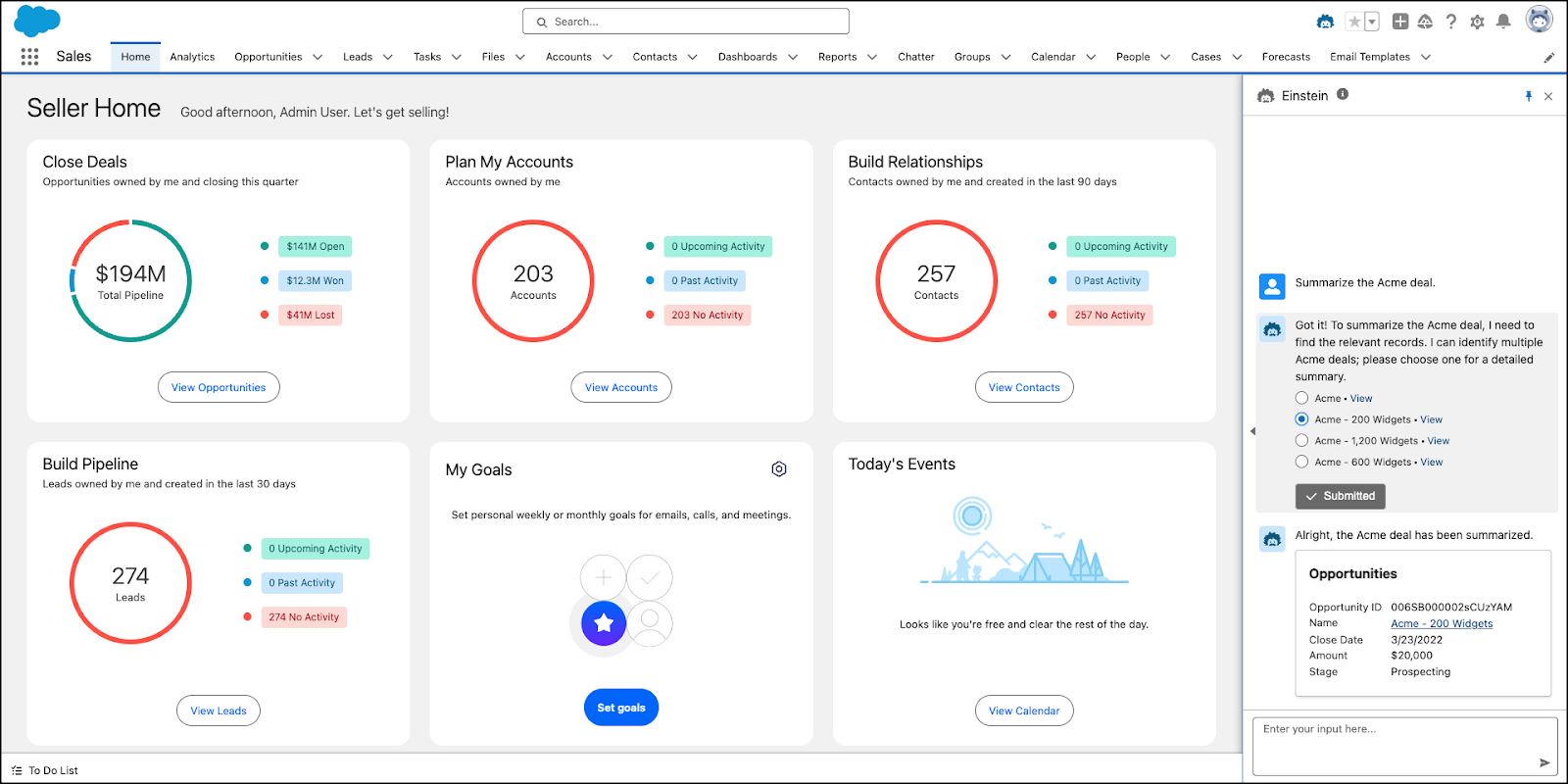
The interface is where a person feels the friction. The organisation is where the decision to keep the software is made.
A company can therefore have a product that is successful in procurement, essential to operations and irritating in daily use. There is no contradiction. The stakeholders are optimising for different outcomes.
| What the user experiences | What the buyer may value | What keeps the product in place |
|---|---|---|
| Extra clicks and training | Controls, permissions and coverage | Configured processes and retraining costs |
| Notification and navigation overload | Shared organisational communication | Colleagues, message history and integrations |
| Dense records and complex workflows | One source of truth across departments | Years of data, automations and reporting |
Why Switching Costs Beat Better Screens
Imagine a challenger with a cleaner issue tracker than Jira, a calmer messaging tool than Slack or a more intuitive CRM than Salesforce. On first use, the alternative may feel unquestionably better. But replacing an incumbent is not equivalent to downloading a nicer app.
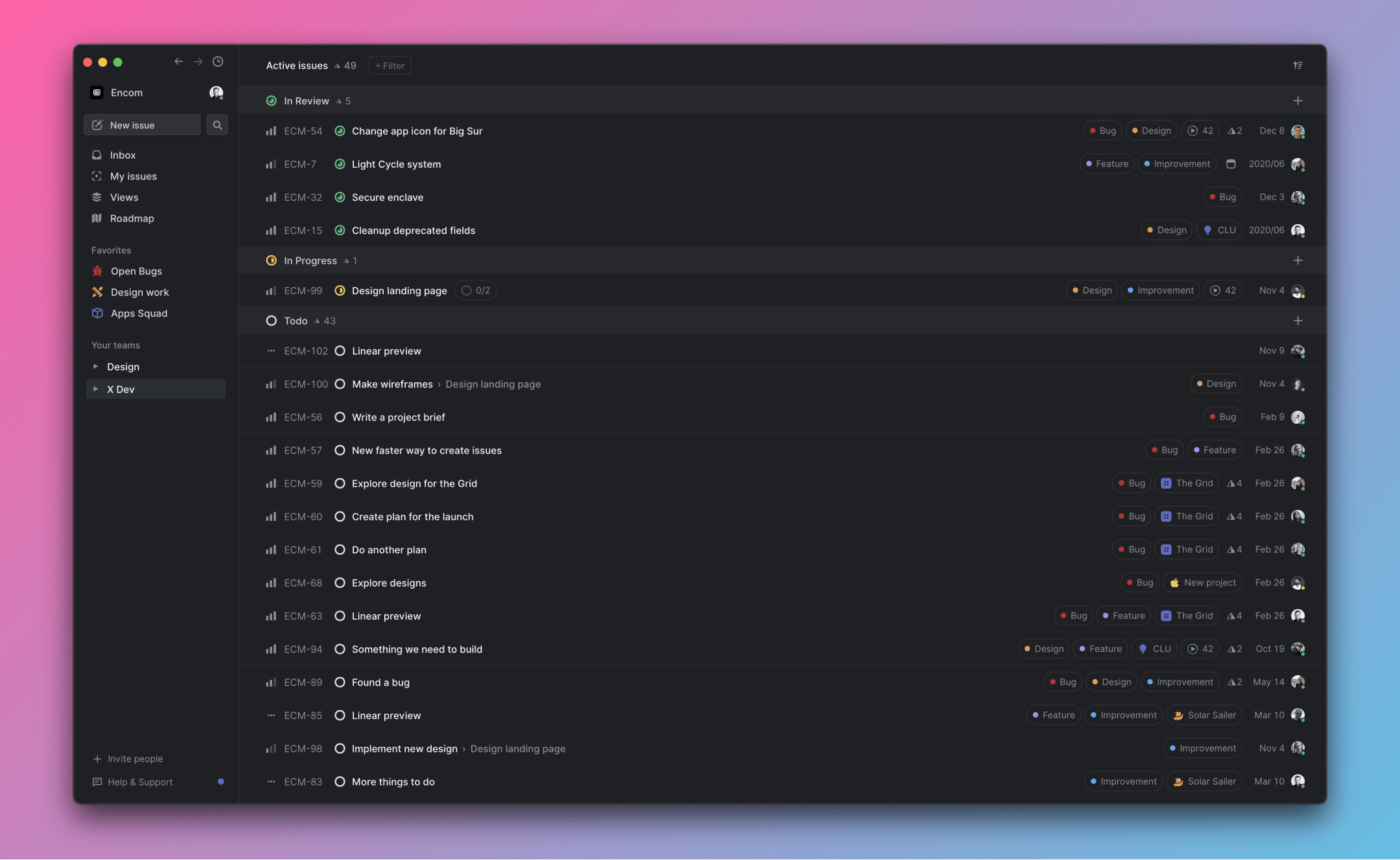
Employees need training. Old conversations and records need migrating. Integrations must be rebuilt or tested. Security and procurement teams have to approve the change. Even when the new product is objectively faster for individual tasks, the organisation may face months of transition risk before it receives those gains.
This is why “people still use it” is weak evidence for good usability. Use might indicate genuine affection, superior capability or simply an inability to leave. Equally, complaints are not proof that a product lacks value. The product could be doing an important job badly in one dimension and exceptionally well in another.
For an emerging product, design quality can help a team break into a market. For an entrenched platform, redesigning the surface may be less consequential to retention than changing the total cost, risk and effort of adoption. Different stages of a product’s life reward different advantages.
Is Good UX Still a Competitive Advantage?
Of course it is, but not in the simplistic sense that a better interface automatically creates a winning business. User experience includes whether a system is useful, dependable, learnable and aligned with the tasks people need to complete. A product that solves the wrong problem beautifully is not a good experience; neither is an indispensable system that makes routine work unnecessarily painful.
Design can also produce measurable value without being the principal reason a company wins a market. The Nielsen Norman Group’s UX Metrics and ROI report brings together 44 detailed case studies, including improvements in business outcomes and changes that had neutral or negative effects. That is a more mature account of UX than either “design is everything” or “design doesn’t matter”. Research, experimentation and measurement determine whether a particular intervention actually worked.
For designers, the practical lesson is to avoid treating market share, retention or a funding round as direct evidence of design excellence. Ask what design changed, for whom, and at what cost. Did a high-frequency task become quicker? Were fewer mistakes made? Did onboarding require less help? Did employees understand a warning before they approved an action? And were those gains meaningful enough to affect the organisation’s outcomes?
A product can win the market without winning the daily experience of the people who use it.
This is especially relevant when teams debate whether an interface looks modern. Visual polish matters, but it is not a substitute for effective workflows, clear information architecture, sensible defaults or respect for expert users. We have made a similar argument about prestige and usability in our examination of Apple’s design reputation, and about unnoticed ease in our essay on invisible UX.
Designers Need a More Honest Scorecard
If product designers want more strategic influence, the answer cannot be to insist that every commercially successful product owes its success to great UX. That claim is too easy to disprove. Nor should designers surrender to the idea that usability is optional whenever a company has enough distribution, capital or lock-in.
A more useful scorecard would separate four questions: Can someone accomplish the task? How much effort does it take? What value does the organisation get? And what would changing the product actually cost? None replaces the others. Together, they explain why frustrated users often remain loyal customers by circumstance.
The profession’s responsibility is to make those trade-offs visible, including the people who otherwise disappear behind procurement decisions. User-centred design has a longer history of questioning who holds decision-making power. That history deserves a place in our conversations about product strategy, not just a mention in design-school lectures.
Slack, Jira and Workday are not cautionary tales about how design does not matter. They are reminders that markets do not award prizes for usability in isolation. A familiar interface can be genuinely valuable, a difficult one can be commercially formidable, and an elegant alternative can still lose.
The challenge for UX is not to prove that good design always wins. It is to show what good design improves, who receives that improvement, and why those gains deserve to matter even when the market does not force them to.





Which enterprise product do you rely on despite an interface that regularly gets in your way, and what would it take for your organisation to replace it?