
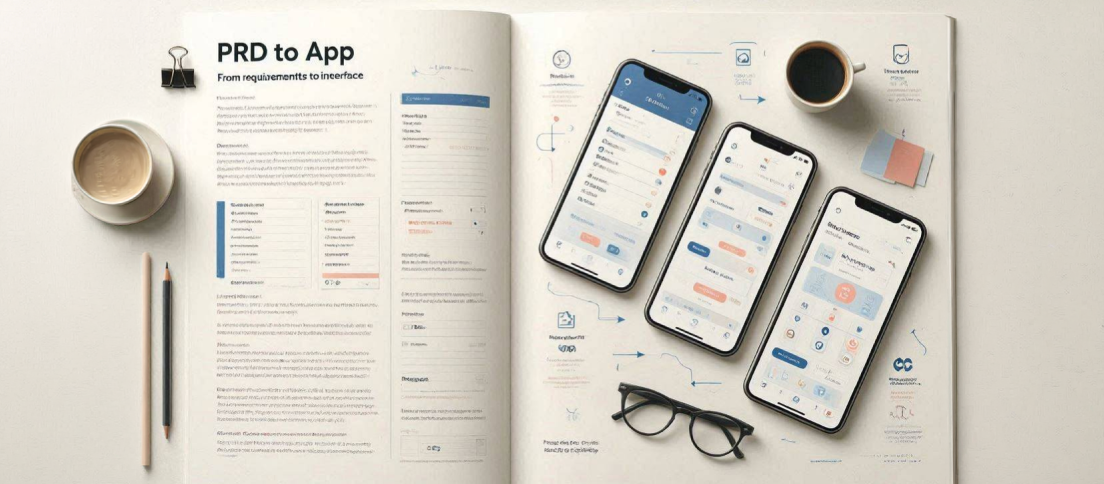
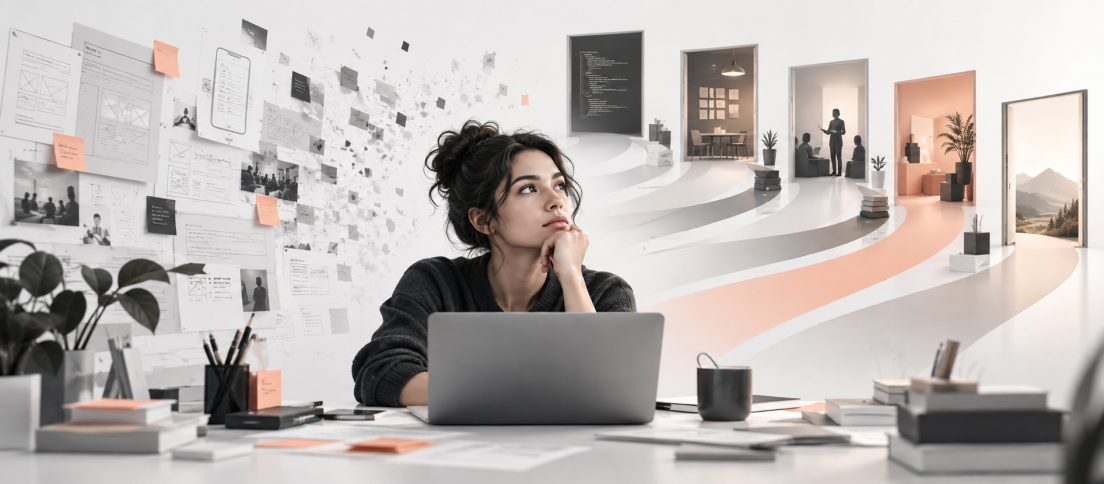
The journey from PRD to UI to interfaces is changing. AI isn’t replacing designers or Figma. It’s quietly changing what comes before them.
Product design has always started long before the first frame appears in Figma. By the time a designer opens a file, the product has already taken shape through customer interviews, planning meetings, engineering discussions, business constraints, and countless revisions to a Product Requirements Document. Every feature has been debated, every objective negotiated, and every assumption challenged. Yet, when we describe the design process, we often pretend that everything begins with the design tool itself. It is a convenient simplification, but one that no longer reflects how modern products are built.
For nearly two decades, design software has focused on helping designers after that moment. Better vector editing, reusable components, design systems, prototyping, real-time collaboration, and developer handoff have steadily improved the craft of interface design. Figma, more than any other tool, became the centre of that evolution because it made designing together remarkably efficient. As a result, the industry’s mental model became equally straightforward. Product managers wrote requirements, designers translated them into interfaces, and engineers translated those interfaces into software.
Artificial intelligence has disrupted that sequence, but not in the way most headlines suggest. Much of the conversation has focused on whether AI can generate screens, replace designers, or eliminate the need for traditional design tools. Those questions make for dramatic predictions, but they overlook a quieter and arguably more important shift. The real change is not happening inside the design canvas. It is happening before the canvas is ever opened.
At first glance, this appears to be another story about AI design tools. It isn’t. Nor is it a story about Figma, despite the role it has played in modern product design. The more interesting shift is happening one step earlier, in the space between a product requirement and its first visual interpretation. That is where the PRD to UI workflow begins, and where a new generation of tools is quietly changing the way products are designed.
The real change in the age of AI is not happening inside the design canvas. It is happening before the canvas is ever opened.
That distinction matters because a significant portion of a designer’s work has never been drawing interfaces. Reading a PRD, identifying inconsistencies, understanding business objectives, questioning user flows, spotting missing edge cases, and turning abstract requirements into concrete product decisions are all part of the design process. None of that work is visible in the final UI, yet it often determines whether the product succeeds. The interface is simply the outcome of that thinking.
Until recently, there was no meaningful way to accelerate this stage. Designers still had to mentally translate hundreds or even thousands of words into information architecture, user journeys, and visual concepts before a single screen existed. AI is beginning to compress that translation layer. Instead of treating a requirements document as something a human must interpret alone, newer workflows treat it as structured context from which multiple design directions can emerge.
That is why the phrase “PRD to UI” has started appearing more frequently in product and design conversations. It is easy to mistake it for another AI feature, but it actually describes a broader shift in how products move from idea to interface. Rather than asking AI to invent an application from a vague prompt, teams are increasingly exploring whether structured product requirements can become the starting point for visual exploration itself. The distinction may seem subtle, but it fundamentally changes where design begins.
What the PRD to UI Workflow Actually Means
The simplest explanation of a PRD to UI workflow is also the least useful. It is tempting to think of it as software that accepts a Product Requirements Document and returns polished interface designs. That expectation has been reinforced by a growing number of AI products that promise to transform text prompts into mobile apps or websites within seconds. While those demonstrations are impressive, they also create the misleading impression that the goal is speed alone.
In practice, product teams are solving a different problem. A requirements document is rarely a perfect specification. It contains business goals, user stories, technical constraints, assumptions, unanswered questions, and occasionally conflicting priorities. Two experienced designers reading the same PRD may produce entirely different solutions because interpretation has always been an essential part of design. The bottleneck is not drawing buttons and forms. It is translating intent into a coherent product.
The PRD to UI workflow is less about generating finished screens and more about shortening the distance between product thinking and design thinking.
This is where AI is beginning to offer something more valuable than automatic interface generation. Instead of replacing the designer’s judgement, it can externalise the first stage of product thinking. Multiple navigation structures, alternative user flows, different layouts, and competing interaction patterns can be explored before significant design effort has been invested. Weak ideas become easier to discard, promising directions become easier to compare, and discussions with product managers become grounded in something more tangible than written requirements alone.
Seen through this lens, the PRD to UI workflow is less about generating finished screens and more about shortening the distance between product thinking and design thinking. The designer is no longer responsible for creating the first visual interpretation from scratch. Instead, the designer becomes the person who evaluates possibilities, questions assumptions, identifies flaws, and shapes the strongest direction into a product that people can actually use. That is a very different role from simply filling an empty canvas.
It also changes the role of familiar design tools. Figma remains one of the best environments for refining interfaces, maintaining design systems, collaborating across teams, and preparing designs for engineering. None of those strengths disappear simply because AI enters the workflow. What changes is the point at which designers arrive there. Increasingly, the first draft of a product may emerge from structured product context rather than an empty design file. Figma is becoming the place where designers refine ideas, not necessarily where those ideas begin.
That observation may ultimately prove more significant than any individual AI feature announced this year. Every major improvement in design software has traditionally focused on making the act of designing more efficient. The PRD to UI workflow suggests something different. It shifts attention to everything that happens before design starts, and in doing so, it changes the conversation from generating interfaces to understanding products.
Why Most PRD to UI Tools Still Miss the Point
The recent wave of AI design products has demonstrated that generating interfaces is no longer particularly difficult. Given enough examples, almost any modern model can produce a dashboard, a pricing page, or a mobile onboarding flow that looks convincing at first glance. Social media has amplified this trend by rewarding visually polished outputs, often without asking whether those interfaces solve a real product problem.
The difficulty begins once those screens need to function as part of an actual product. A dashboard is not a product because it has charts, and a checkout flow is not complete because it contains payment fields. Every interface exists within a larger system of navigation, permissions, edge cases, user expectations, and business objectives. Those relationships are difficult to infer from a short prompt, which is why many AI-generated interfaces still feel disconnected from the products they are meant to represent.
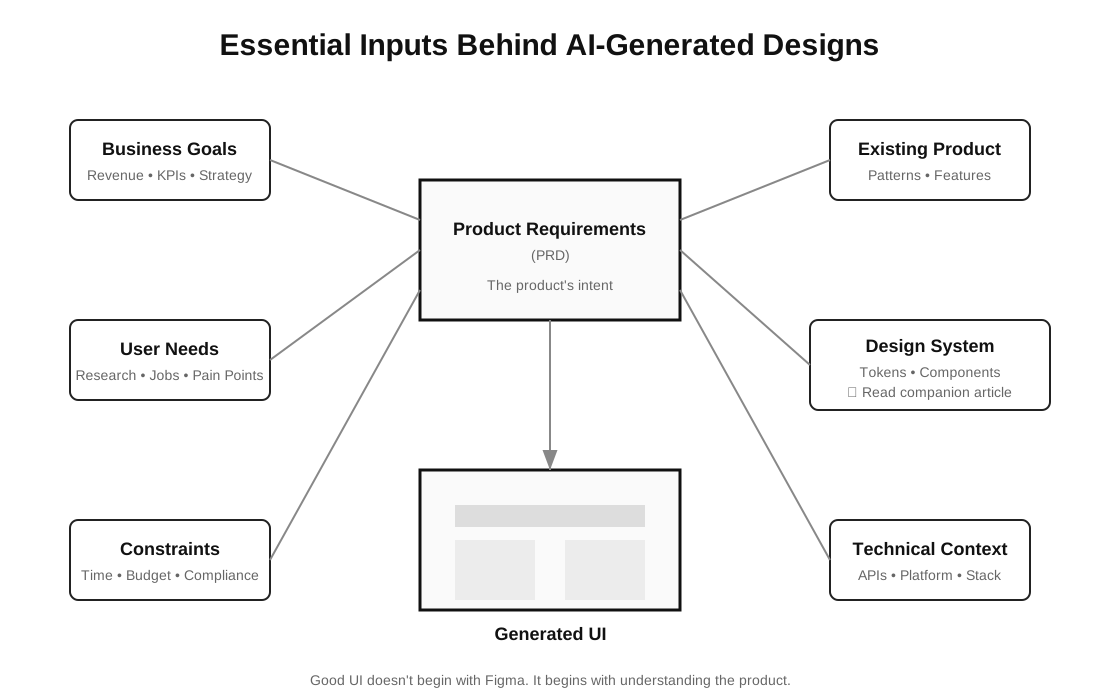
This is also where the term “PRD to UI” can become misleading. If the goal is simply to convert written requirements into attractive mockups, the workflow offers only a modest improvement over traditional prompting. The more interesting challenge is whether AI can understand the product itself. Can it recognise that a B2B analytics platform demands a different information hierarchy than a consumer fitness app? Can it identify missing states in a user journey or surface inconsistencies between requirements before they become expensive design problems? These questions move beyond image generation and into product reasoning, and that is a far more meaningful direction for design AI.
The distinction is worth making because the value of these systems should not be measured by how quickly they produce pixels. It should be measured by whether they reduce ambiguity between product strategy and interface design. A designer who spends less time reconstructing intent from documents gains more time to question assumptions, refine interactions, and improve the overall experience. That is where the real productivity gains are likely to emerge.
The Next Generation of Design Tools
Every major shift in design introduces a new category of tools. Design systems produced component libraries. Collaborative design produced browser-based editors. The PRD to UI workflow is now giving rise to software that attempts to understand products before it generates interfaces.
Moonchild is an interesting example because it approaches AI from that perspective rather than treating interface generation as an image creation problem. It is one of a growing generation of tools that treat product requirements as the starting point rather than an empty canvas. Instead of asking designers to begin with isolated prompts, it encourages them to start with structured product context. Requirements become the foundation for exploration, allowing multiple interface directions to emerge before a designer commits to a particular solution.
That difference may sound subtle, but it changes the role AI plays inside a product team. Rather than producing a single polished screen, the system becomes a collaborative starting point for discussion. Product managers can react to visual concepts earlier. Designers can compare alternative flows before investing significant effort. Engineering teams gain something more concrete than a document when conversations around feasibility begin. AI becomes another participant in the design process rather than a shortcut around it.
Equally important, the workflow does not end there. The output remains editable and can move into Figma for refinement, iteration, and integration with an existing design system. That feels like a far more realistic future than the idea of replacing established design tools altogether. Mature product teams have invested years building component libraries, accessibility standards, and collaborative processes around Figma. Expecting AI to replace that ecosystem overnight is neither practical nor necessary.
A more plausible future is one in which the journey begins with product context, moves through AI-assisted exploration, and reaches Figma once the team has confidence in the direction. The design tool remains central to execution, but it is no longer responsible for creating the very first interpretation of the product. For teams connecting that workflow to code, our AI-ready design-system guide explains how structured components, tokens and mappings keep generated work inside the system that eventually ships.
The Blank Canvas Is No Longer the Starting Point
For years, designers have measured progress from the moment the first frame appears inside a design file. It is an understandable habit because that is where interface design has traditionally become visible. Yet products are rarely born inside design software. They emerge from research, planning, negotiation, and documentation long before a designer chooses a typeface or draws a button.
The PRD to UI workflow does not eliminate those earlier stages. If anything, it makes them more valuable because clearer requirements produce stronger design exploration. The quality of the output becomes directly linked to the quality of product thinking, creating a stronger connection between product managers and designers than has traditionally existed.
Products are rarely born inside design software. Products emerge from research, planning, negotiation, and documentation long before a designer chooses a typeface or draws a button.
Whether today’s generation of AI tools fully delivers on that promise remains an open question. Many will disappear as quickly as they arrived, while others will evolve into capabilities that eventually become part of every product team’s workflow. That uncertainty is typical of every technological transition. What feels less uncertain is the direction of travel. The industry is moving away from asking AI to generate isolated screens and towards asking it to understand products.
If that shift continues, the most significant change in product design over the next few years may not be a new design tool at all. It may simply be the moment we stop believing that design begins when someone opens Figma.
PRD to UI: Frequently Asked Questions
Here are some of the most common questions about PRD to UI workflows, AI-assisted product design, and how modern teams move from product requirements to interfaces.
What is a PRD to UI workflow?
A PRD to UI workflow is the process of transforming a Product Requirements Document (PRD) into interface concepts and designs. Instead of beginning with a blank canvas, designers start with structured product requirements. AI-assisted workflows help teams explore layouts, user flows, and design directions before detailed interface design begins.
What does PRD stand for in product design?
PRD stands for Product Requirements Document. It defines a product’s objectives, user needs, functional requirements, business goals, constraints, and success metrics. A well-written PRD keeps product managers, designers, engineers, and stakeholders aligned throughout the product development process.
Can AI convert a PRD into UI designs?
Yes. Modern AI tools can generate interface concepts from structured product requirements. Rather than replacing designers, they accelerate early exploration by visualizing multiple design directions, uncovering missing flows, and helping teams validate ideas before investing in high-fidelity design.
Does PRD to UI replace Figma or designers?
No. AI complements rather than replaces traditional design tools. Designers still make product decisions, refine user experiences, maintain design systems, and prepare production-ready interfaces. Tools like Figma remain central to collaboration, refinement, and developer handoff.
Which tools support a PRD to UI workflow?
A growing number of AI design tools are exploring the PRD to UI workflow. Products such as Moonchild, Figma Make, and Lovable take different approaches. Some focus on generating interfaces from prompts, while others begin with structured product requirements and support collaborative exploration before designs move into production workflows.
What’s the difference between PRD to UI and AI UI generators?
AI UI generators typically create interfaces from short prompts. A PRD to UI workflow begins with structured product context, including requirements, user stories, business objectives, and constraints. This enables AI to support product reasoning and design exploration rather than simply generating visually polished screens.



[…] interface exploration and implementation. That overlaps directly with the change we described in How AI Is Changing the Journey from PRD to UI: the blank canvas is becoming less important than the context brought into the workflow before […]