
Recraft used to be easiest to describe as an AI image generator built by people who understood designers. That description is still true, but it is no longer sufficient.
Since DesignWhine first reviewed the product, Recraft has moved from its V3 generation into a much broader Recraft Studio environment built around V4 and V4.1 models, conversational generation, exploration workflows, editable vector output, style consistency, mockups and a growing collection of production-oriented tools. The change is important because the interesting question is no longer whether Recraft can make a good image. Most leading models can. The question is whether Recraft has become a more useful place to make visual work.
This update combines our earlier hands-on experience of Recraft’s design workflow with the product’s current official documentation and releases. We have not re-run a fresh benchmark against the newest model, so the existing Tools Radar score remains unchanged. What has changed is the product around that score, and it has changed enough that the old V3-centred review was no longer a useful description of Recraft in 2026.
DesignWhine's Verdict
Overall
-
Capability
-
Ease of Use
-
Quality & Reliability
-
Value for Money
Summary
Recraft AI demonstrates genuine innovation in vector generation and style consistency, capabilities that address real professional needs. However, fundamental reliability issues like inconsistent dimension controls, project loading failures, and unpredictable AI responses create barriers that undermine its professional utility.
Pros
Native vector generation with genuine scalability advantages
Superior style consistency across multiple generations compared to competitors
Professional project organization designed around actual design workflows
Improved text rendering capabilities in V3 model that approach typography standards
Clear understanding of brand-focused design requirements
Cons
Steep learning curve
Limited team management features in desktop edition
No dedicated mobile applications
Smaller community and ecosystem compared to commercial alternatives
Recraft Is Now a Studio
The most important shift is conceptual. Recraft is no longer organised around one generation box and a handful of editing utilities. Its current Studio supports three distinct generation modes: Agentic, Manual and Exploration.
Recraft’s documentation describes Agentic mode as a context-aware conversational workflow, Manual mode as the more explicit prompt-and-settings route, and Exploration mode as a way to generate multiple visual directions from a single idea. That separation is smarter than it sounds. Professional visual work does not always begin from the same mental state. Sometimes you know exactly what you need. Sometimes you know the mood but not the composition. Sometimes the useful task is simply generating enough directions to discover the brief.
Our earlier criticism of Recraft was that the interface sometimes made a technically impressive system feel like a tool users had to learn around. The new mode structure attacks that problem from the other direction: instead of forcing every creative task through one prompting model, it lets the user choose how much control or assistance the moment requires.
The most interesting Recraft improvement is not simply a better image model. It is the recognition that exploration, direction and production are different design activities.
V4.1 Is Built Around Taste
Recraft’s current flagship family is V4.1. The company frames the model around visual judgement rather than raw prompt compliance: composition, lighting, colour relationships, material realism and the ability to infer an aesthetic direction from shorter prompts. The official V4.1 release also introduces a Utility variant designed for simpler, more predictable output such as product shots and straightforward mockups.
That positioning is worth taking seriously because design work often fails in the space between literal accuracy and visual judgement. An image can contain every requested object and still feel unusable. Recraft’s strategy is to make aesthetic decision-making part of the model’s differentiation rather than leave the designer to repair composition after generation.
We would still resist treating a vendor’s claims about taste as a measurable fact. Taste is contextual, and brand work frequently requires restraint rather than a model adding a point of view. But Recraft at least recognises the right problem. Designers rarely need a model that merely obeys. They need one that can obey without producing something visually dead.
Vectors Remain the Real Differentiator
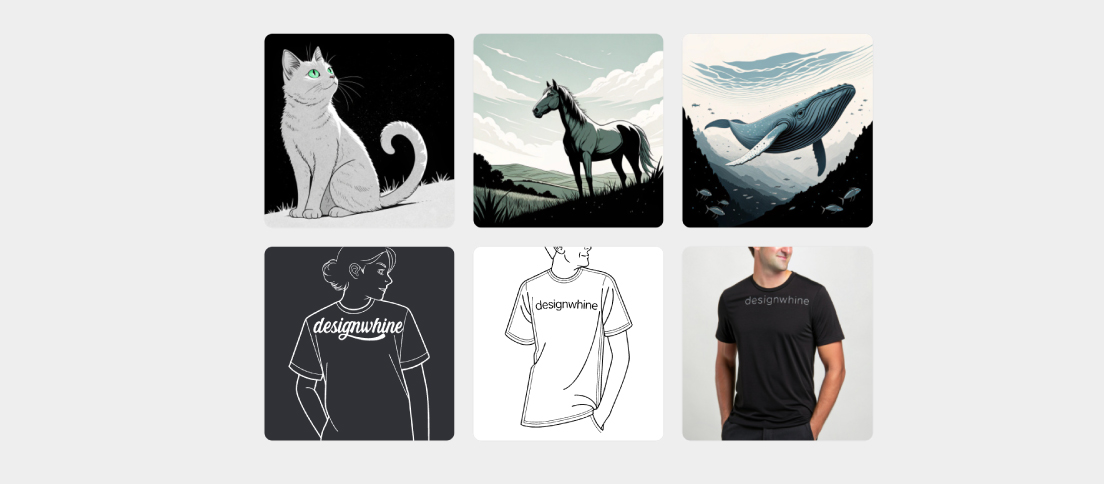
Recraft’s strongest structural advantage remains vector generation. V4 and V4.1 include vector variants that generate actual SVG output rather than tracing a raster image after the fact. That distinction matters for icons, logos, illustrations, interface assets and brand systems because the result can remain editable after generation.
The July 2026 release of Recraft’s Vector Editor makes that advantage more useful. Designers can now edit anchor points, curves and individual colours directly inside Recraft Studio instead of exporting an SVG to another design application for every correction. In practical terms, generation becomes a starting point rather than a take-it-or-leave-it output.
This is the part of Recraft that most clearly separates it from the broad field of image generators. A bitmap that looks excellent can still be awkward raw material for identity or interface work. A vector that can be pulled apart, recoloured and structurally edited behaves much more like a design asset.
It also connects to a wider DesignWhine theme: AI becomes more valuable when the output remains inside an editable system. We made the same argument in our design-system coverage. The visible artefact matters less than whether the underlying structure survives the next decision.
Style Consistency Is Finally First-Class
One of the hardest problems in AI-assisted brand work is not generating one attractive image. It is generating the eighth image without the visual language quietly drifting.
Recraft’s August 2026 V4 Styles release is aimed directly at that problem. Users can provide a reference image, or several references, and use them as a style blueprint across subsequent generations. Recraft offers more precise or more flexible matching depending on how tightly the work needs to stay inside the reference language.
That is strategically more interesting than another quality bump. A production designer making a campaign, product launch or illustration family needs consistency across a set, not a gallery of individually impressive accidents. Recraft has increasingly organised itself around that professional reality.
The caveat is familiar: style consistency still requires art direction. A model can preserve surface characteristics while repeating a weak visual idea. Consistency is not the same thing as coherence, and neither substitutes for deciding what the brand should feel like in the first place.
Agentic Mode Changes the Interaction
Recraft’s Agentic mode turns the prompt field into a conversation. The system keeps context across turns, helps refine the brief, suggests next actions and places iterations beside one another on the canvas. Recraft’s own Agentic mode documentation describes it as a session-driven workflow for brainstorming, generation and step-by-step refinement.
This direction makes sense because prompt engineering is a strange tax to put on visual professionals. A designer should not have to become unusually good at writing synthetic prose merely to communicate an idea to a visual tool. Conversation is a more natural interface when the brief itself is still being shaped.
But the distinction between Agentic and Manual modes is important. When a designer already knows the exact model, style, proportion and output behaviour required, assistance can become friction. Recraft’s decision to keep a stateless Manual mode is therefore as important as adding the agent.
A good creative AI tool should know when to help you think and when to get out of the way.
The Product Is Broader Than Recraft Models
Another major change is that Recraft Studio has become a broader visual-production environment rather than a sealed showcase for Recraft’s own models. Its current product includes image editing, vectorisation, background removal, upscaling, mockups and access to additional image and video models inside the same workspace.
That breadth can be useful, but it also creates a product-design problem. The more models and modes a studio contains, the more responsibility the interface carries for helping users understand why one route is appropriate. A designer should not need to memorise a model catalogue before making an image.
Recraft’s mode system and Agentic layer are partly an answer to that complexity. Whether the product can continue expanding without becoming its own form of tool sprawl will be one of the more interesting things to watch.
Pricing Still Needs Attention
Recraft remains credit-based. Its current pricing page separates subscription credits from top-up credits and varies the cost of operations according to the model or action used. Agentic conversations themselves can also consume credits in addition to the underlying generation or editing operation.
That is understandable from a compute-cost perspective, but it makes the product harder to evaluate than conventional design software. The economic unit is not simply a seat per month. It is a mixture of plan, model, operation and creative behaviour. Exploration-heavy designers can experience the same feature very differently from users producing a small number of final assets.
Commercial rights also matter. Recraft states that paid plans grant ownership and commercial rights for images generated while subscribed, while free-plan output carries more restrictive terms. For professional teams, that distinction belongs in the buying decision rather than being treated as legal small print.
What Has Not Changed
The central tension from our original review still survives the product’s evolution. Recraft is most compelling when it behaves like software for making design assets rather than software for making impressive AI pictures.
The vector workflow, editing tools, style system and production canvas all push in that direction. The danger is that rapid model expansion can pull the product back toward the same feature race as every other generative studio.
For designers, the useful question is therefore not whether Recraft V4.1 is the best image model in an abstract benchmark. It is whether Recraft reduces the number of places a visual asset has to travel before it becomes usable. On that measure, the product is considerably more convincing in 2026 than the version we first reviewed.
DesignWhine’s Verdict
Recraft has matured into one of the more coherent attempts to build an AI-native visual workspace for designers. V4.1 gives the generation layer a stronger aesthetic thesis, but the more consequential improvements sit around it: real vector generation, direct vector editing, style consistency, an exploration mode and a conversational workflow that can move between ideas without discarding the canvas.
It is still not frictionless. Credit economics are harder to reason about than a conventional design subscription, the growing number of models can create choice overhead, and teams need to understand the commercial-rights difference between free and paid use.
But Recraft’s strongest idea has become clearer with time. It is not trying merely to generate pictures for designers. It is trying to make generated visuals behave more like design material. That is the right problem to solve.